Verify Results
In this section, you will verify the end-to-end execution of your CI/CD automation pipeline. You will inspect the build execution logs in AWS CodeBuild for both frontend and backend services, confirm that new Amazon ECS task definition revisions were registered, observe the rolling service deployment in your Amazon ECS cluster, verify the health status of container targets behind the Application Load Balancer, and test the live application in your browser to confirm that release v1.0.2 is successfully serving traffic.
Step 1: Verify frontend build in AWS CodeBuild
In the AWS Management Console, search for CodeBuild and open the CodeBuild service dashboard.
In the left navigation pane under Build, click Build projects.
Select the frontend build project:
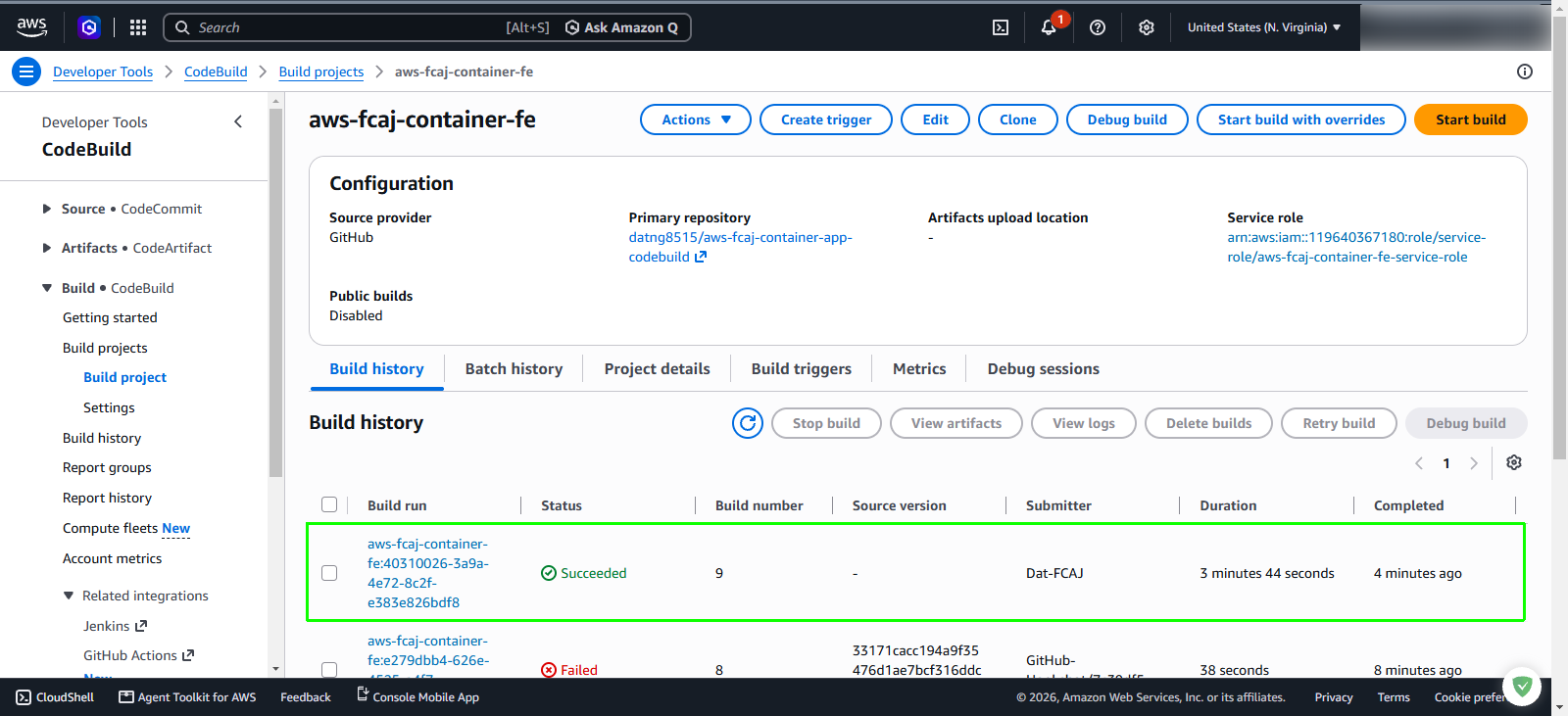
aws-fcaj-container-fe.In the project details view, select the Build history tab.
In the build runs table, inspect the latest build execution:
Step 2: Verify backend build in AWS CodeBuild
Return to the Build projects page in the AWS CodeBuild console.
Select the backend build project: aws-fcaj-container-be.
In the project details view, select the Build history tab.
In the build runs table, verify the latest backend build run:
- Status: Confirm the status indicates Succeeded with a green checkmark.
- Duration: Typically takes approximately 3 to 4 minutes.
- Review the build execution to confirm that CodeBuild successfully executed backend/buildspec.yml, packaged the Node.js/Python backend application into a Docker image, pushed the image to Amazon ECR, and called the ECS API to register a new task definition revision.
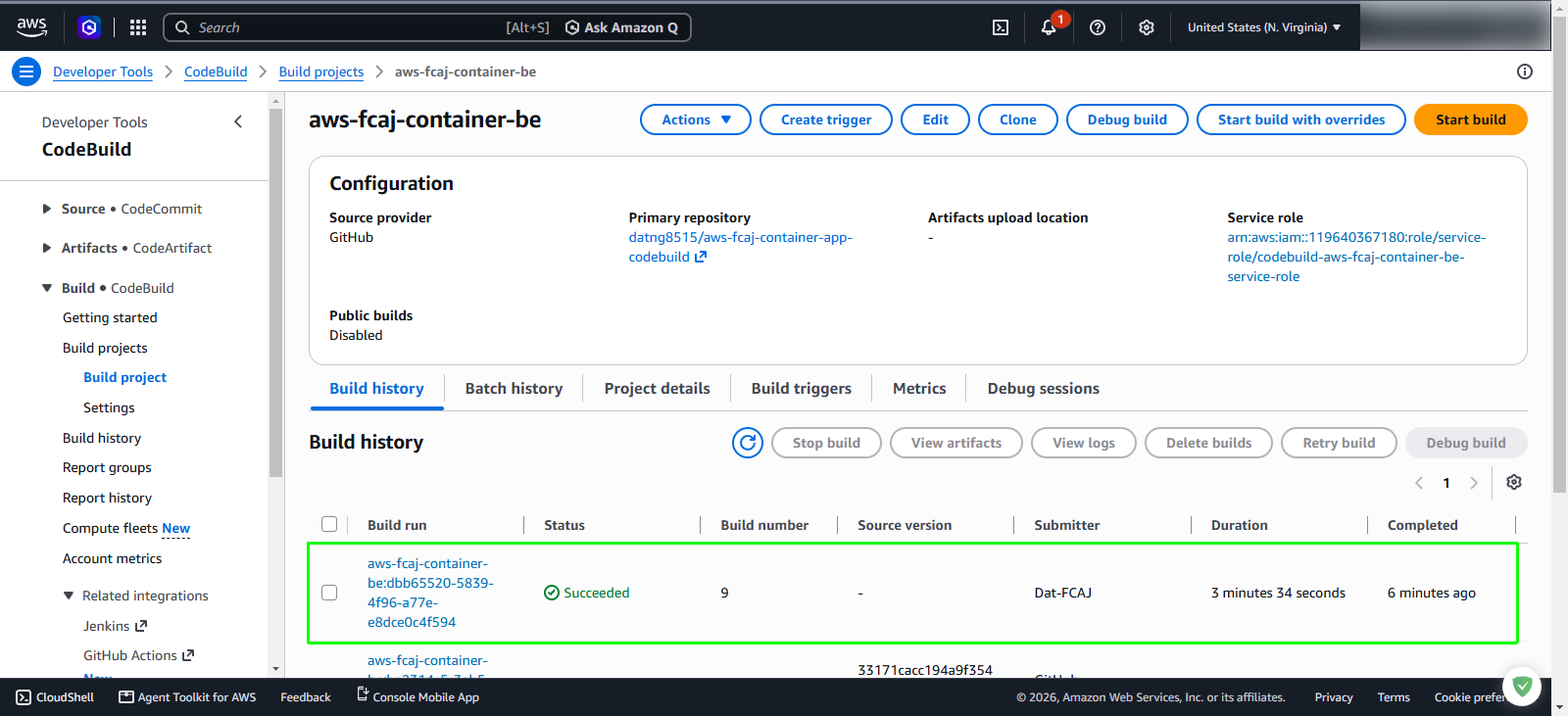
Both frontend and backend builds run simultaneously in independent on-demand compute environments, significantly reducing overall deployment time compared to sequential pipelines.
Step 3: Confirm new Amazon ECS task definition revisions
In the AWS Management Console search bar, enter ECS and select Amazon Elastic Container Service.
In the left navigation pane, click Task definitions.
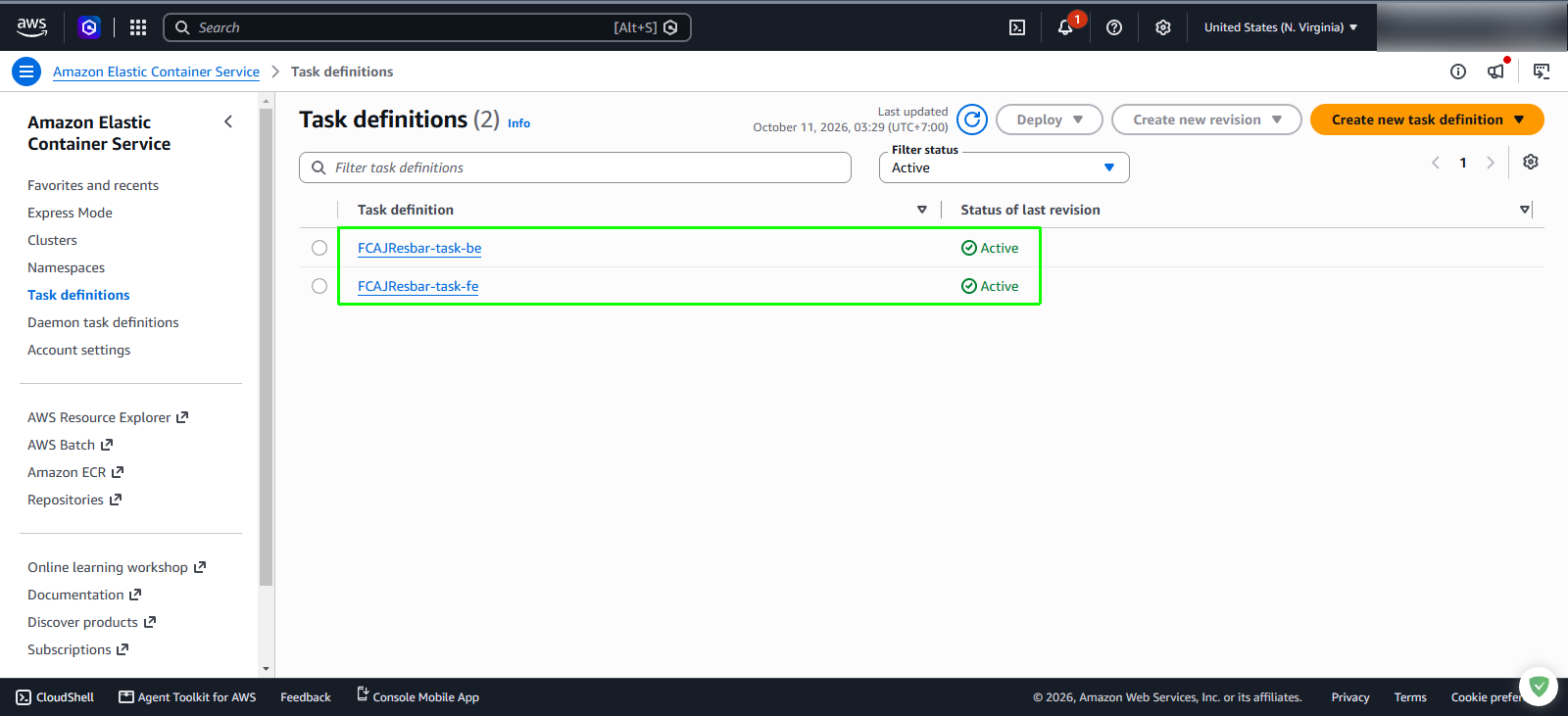
In the Task definitions dashboard, locate the two task families:
- FCAJResbar-task-be: Confirm the Status of last revision shows Active.
- FCAJResbar-task-fe: Confirm the Status of last revision shows Active.
The deployment scripts in CodeBuild automatically registered a new incremental revision for each task definition family referencing the newly pushed container image URI from Amazon ECR.
Step 4: Verify Amazon ECS cluster status and running services
In the left navigation pane of the Amazon ECS console, click Clusters.
Click your cluster name: FCAJ-Lab-cluster.
In the Cluster overview pane, verify the health status:
- Status: Shows Active.
- Tasks: Displays 2 running | 0 pending.
In the Services tab below the cluster overview, verify both application services:
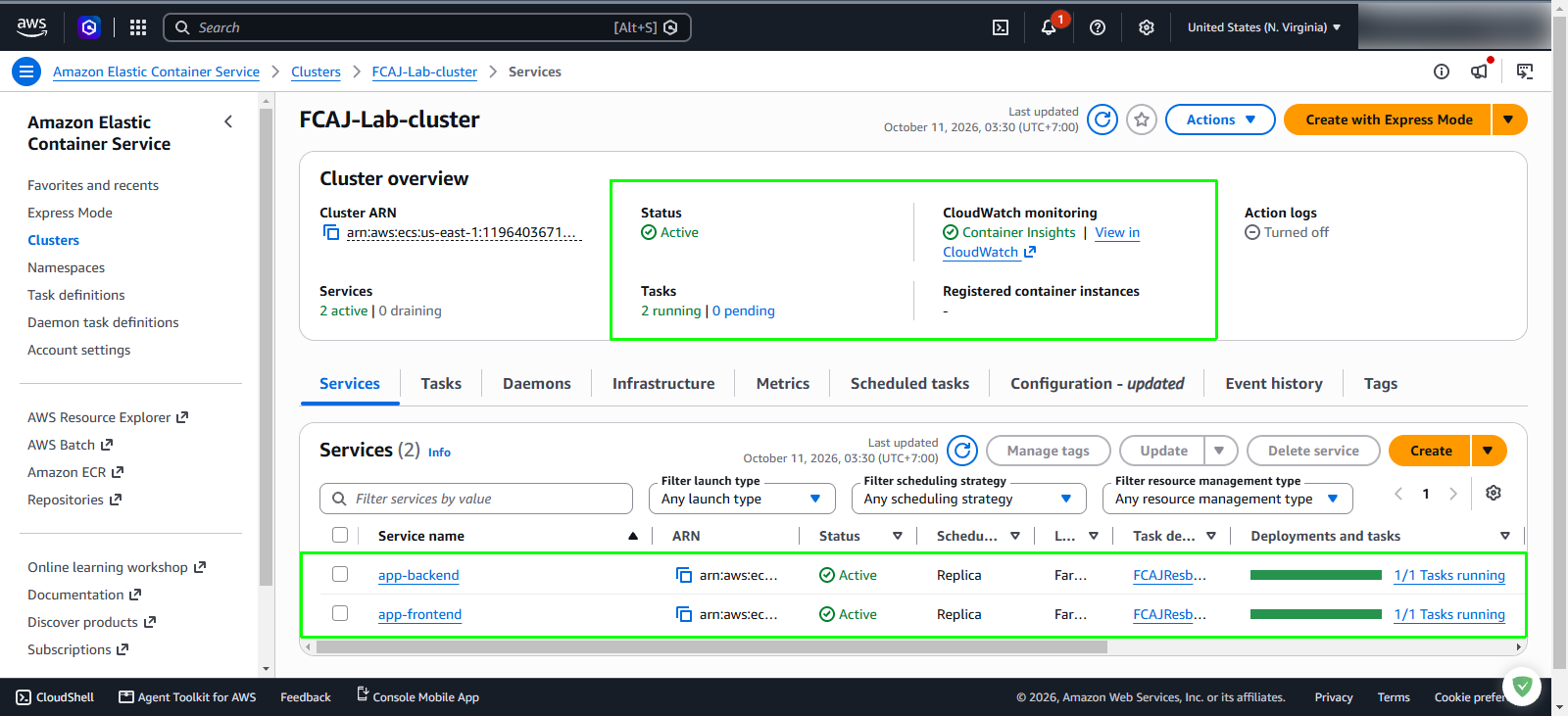
Step 5: Verify backend service deployment and target health
In the Services table of your cluster, click on the service name app-backend.
On the service details page, select the Health and metrics tab:
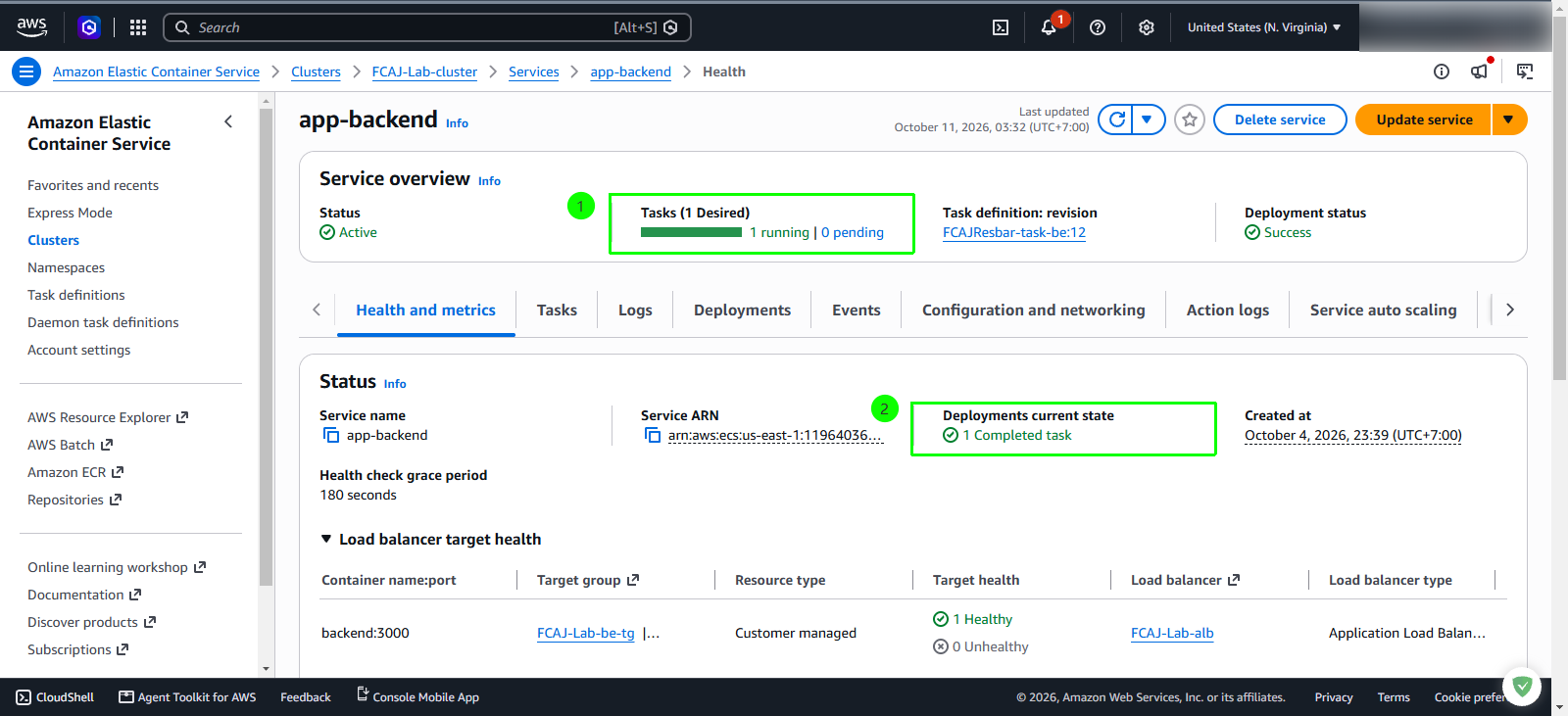
During an Amazon ECS rolling update, the service launches a new task with the updated revision and waits for the Application Load Balancer health checks to pass before draining and terminating the previous task. If the target status displays Initial, wait 1-2 minutes for the health checks to transition to Healthy.
Step 6: Verify frontend service deployment and target health
In the breadcrumb navigation at the top, click FCAJ-Lab-cluster > Services, then click app-frontend.
On the app-frontend service details page, verify the deployment parameters
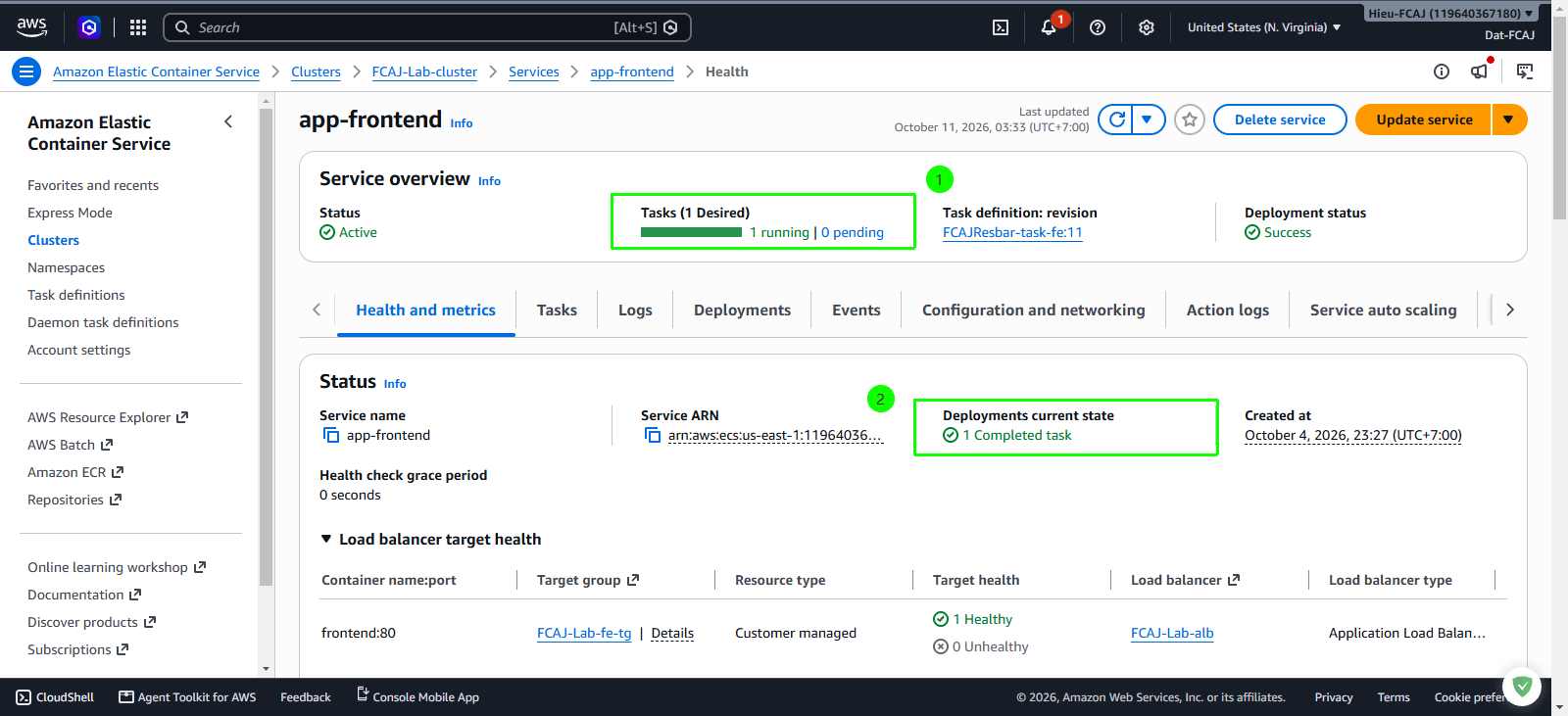
Step 7: Retrieve Application Load Balancer DNS name
In the AWS Management Console search bar, enter EC2 and open the EC2 service dashboard.
In the left navigation pane under Load Balancing, click Load Balancers.
Select your load balancer: FCAJ-Lab-alb.
In the Details tab, locate the DNS name field in the right panel and copy the DNS name string
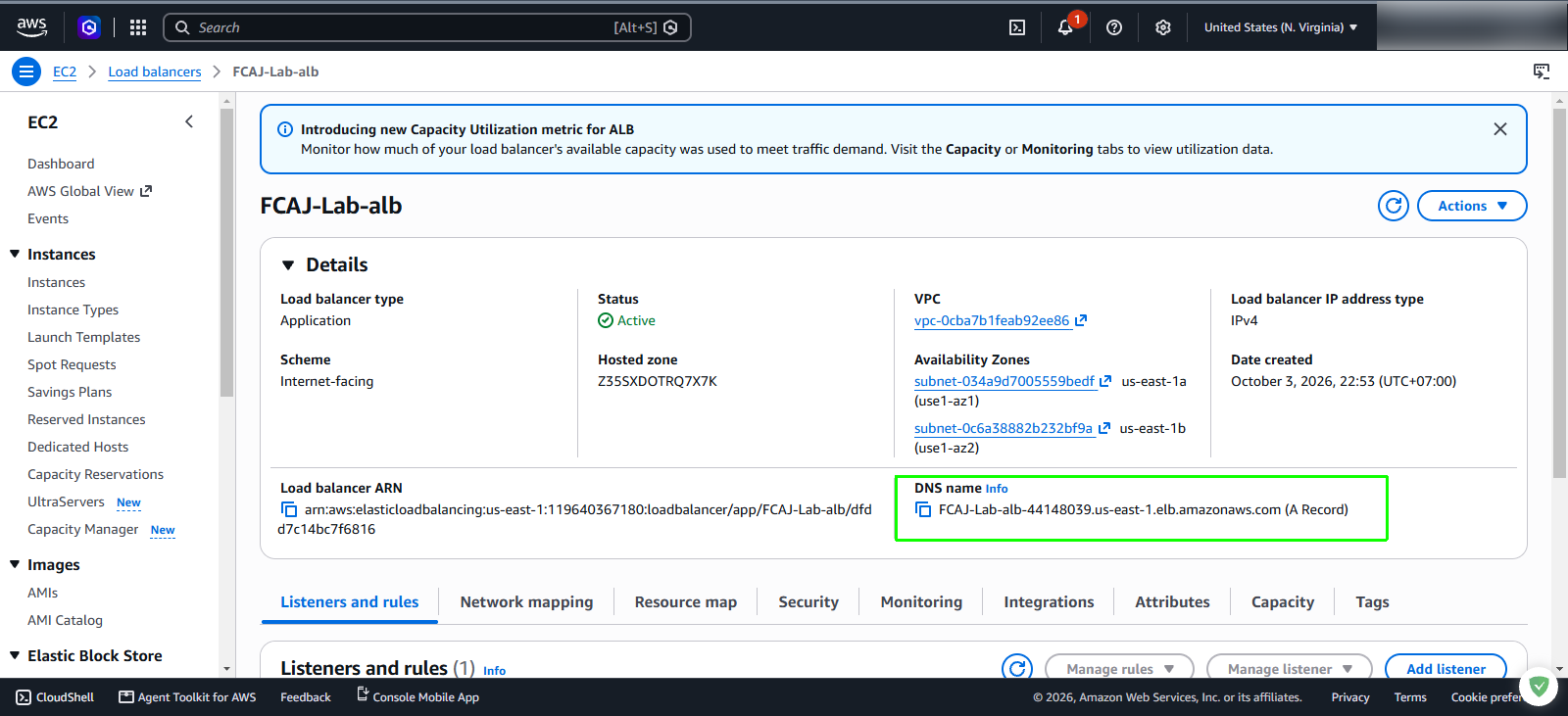
Step 8: Access the live web application and verify version 1.0.2
Open the FCAJ Resbar web application dashboard.
In the left sidebar navigation, inspect the top menu item:
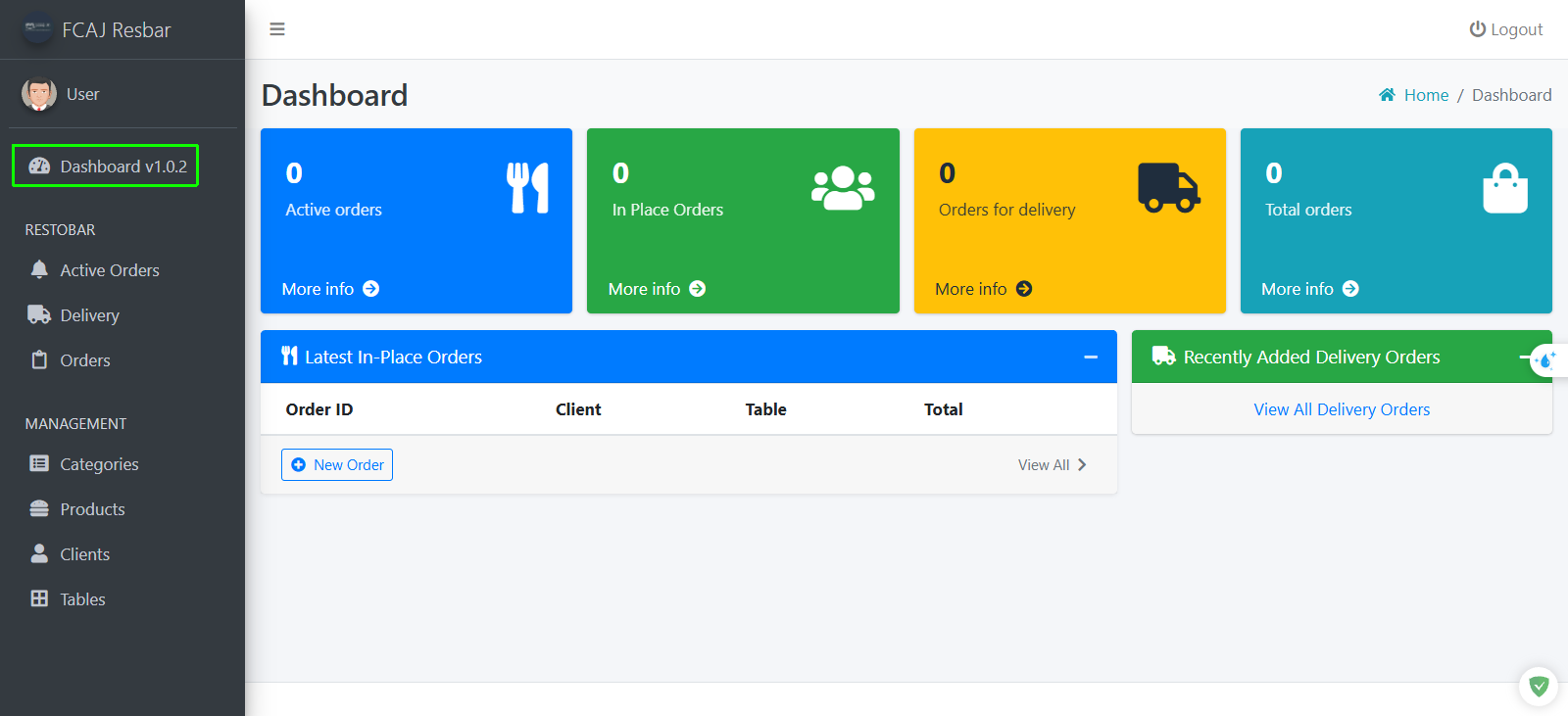
- Verify that the menu item displays Dashboard v1.0.2 (highlighted in the green bounding box).
- This confirms that your source code modifications tagged with v1.0.2 were successfully built by CodeBuild and deployed without downtime by Amazon ECS.