Configure Permissions and IAM Role
In this section, you will configure the necessary execution permissions across two distinct boundaries: the Operating System level (Linux Sudoers) and the AWS IAM role. This ensures that the GitLab Runner can build Docker images and invoke AWS ECS APIs during automated deployment runs.
Architectural context
Our CI/CD pipeline runs directly on an EC2 build instance using the Shell Executor. To complete pipeline tasks, the runner requires authorized access at two levels:
- Linux sudoers: The GitLab Runner executes jobs under the unprivileged gitlab-runner system service account. It requires passwordless sudo (NOPASSWD) privileges to run privileged container commands and deploy scripts without hanging on password prompts.
- AWS IAM Instance Profile: The EC2 instance assumes an IAM Role (CustomRWECRRole). The AWS CLI v2 retrieves temporary security credentials automatically from the Instance Metadata Service (IMDSv2), eliminating the need to hardcode static AWS Access Keys in the repository.
Step 1: Configure sudo permissions for gitlab-runner
Because CI/CD jobs run non-interactively, any command requiring sudo will fail if a password prompt is triggered. We must configure passwordless sudo (NOPASSWD) for the gitlab-runner account.
Open the sudoers configuration using the visudo command:
sudo visudoScroll to the bottom of the file and append the following entry:
gitlab-runner ALL=(ALL) NOPASSWD:ALL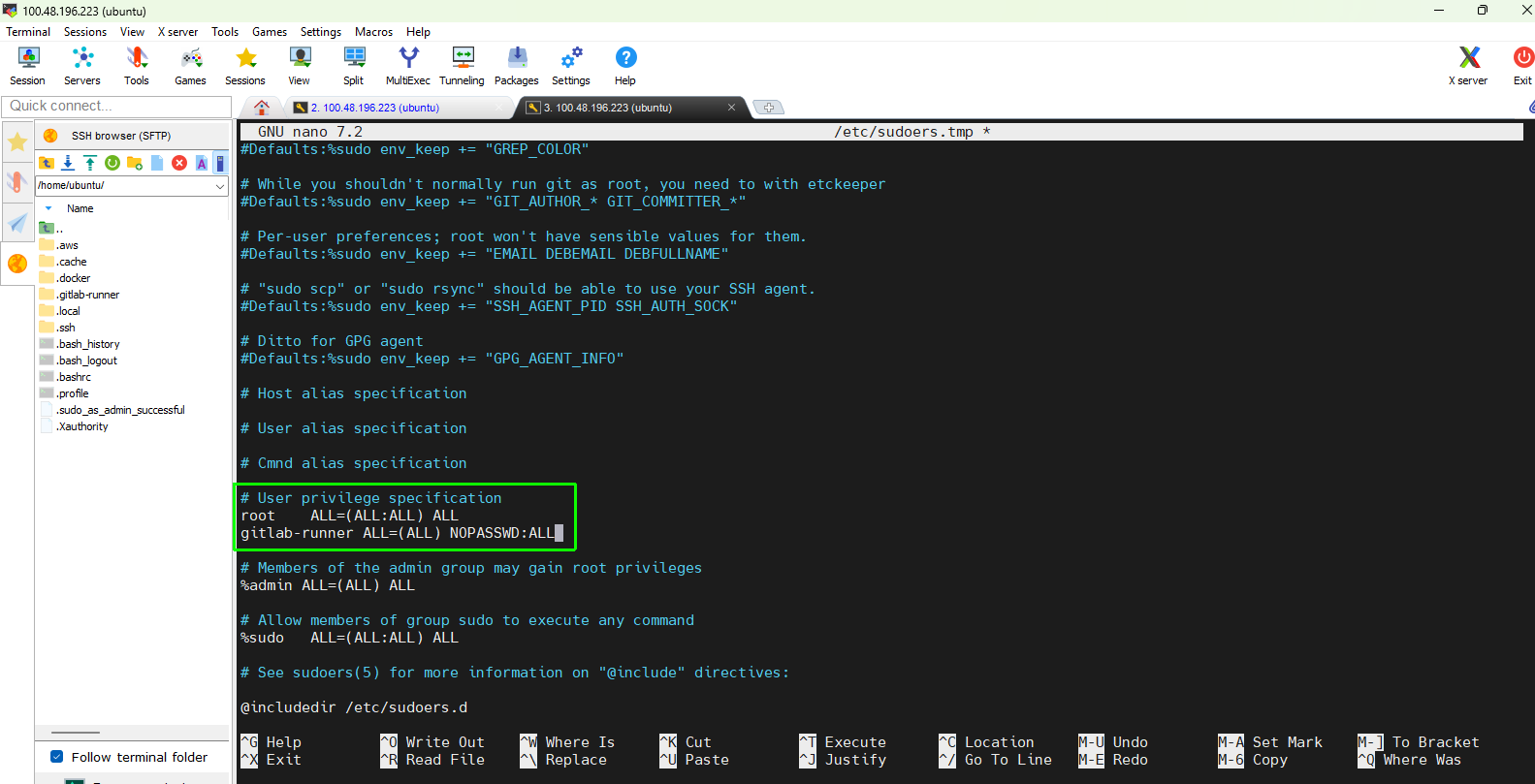
Save and close the editor:
- If using nano: Press
Ctrl + O, thenEnterto save, andCtrl + Xto exit. - If using vi/vim: Press
Esc, type:wq, and pressEnter.
- If using nano: Press
Verify sudo permissions
Test that the gitlab-runner user can execute privileged commands without entering a password:
sudo -u gitlab-runner sudo whoami
Expected terminal output:
root
If the command outputs root without prompting for a password, your sudoers configuration is correct.
Step 2: Verify attached IAM role on EC2 instance
Open the AWS Management Console and navigate to EC2 → Instances.
Select your running build instance.
In the Details pane below, look for IAM role:
- Verify that the assigned role is CustomRWECRRole.
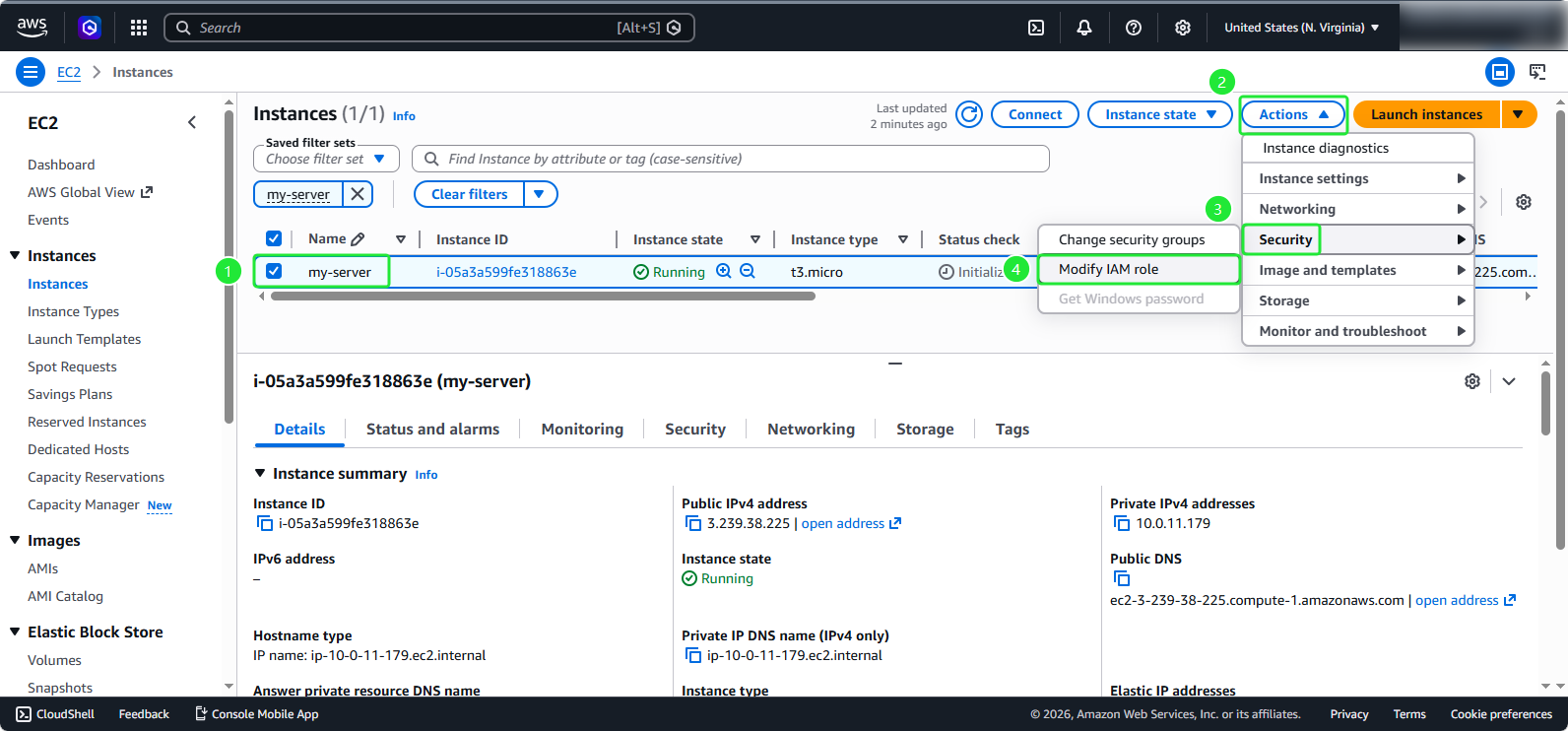
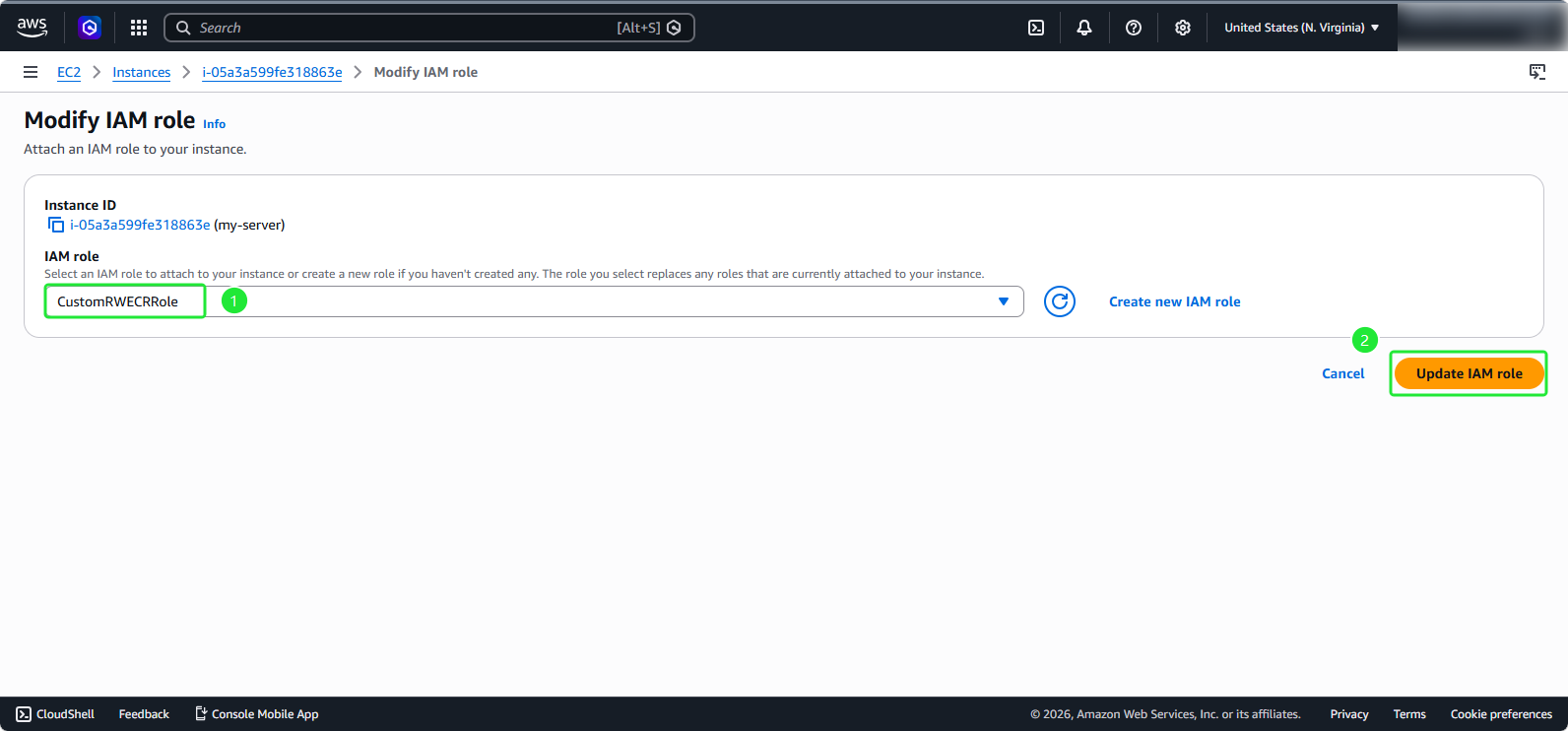
- If the role is not attached, select Actions → Security → Modify IAM role, select CustomRWECRRole, and click Update IAM role.
Step 3: Attach required policies to IAM role
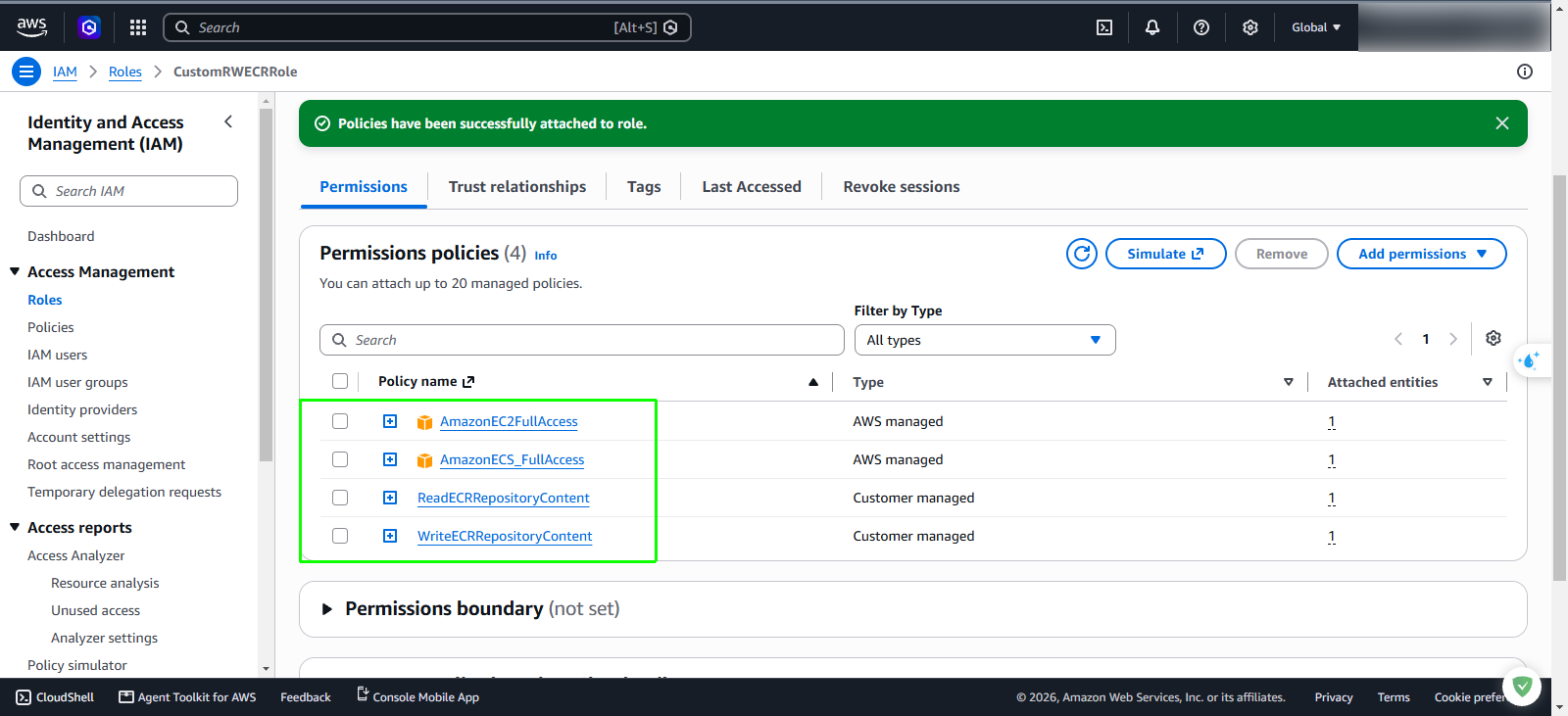
The build instance already has ECR read/write access via CustomRWECRRole. To deploy containerized services, it also requires permissions to manage ECS Task Definitions and trigger service updates.
In the AWS Management Console search bar, enter
IAMand open the IAM Dashboard.In the left navigation pane, select Roles.
In the search box, type
CustomRWECRRoleand click on the role name to view its configuration.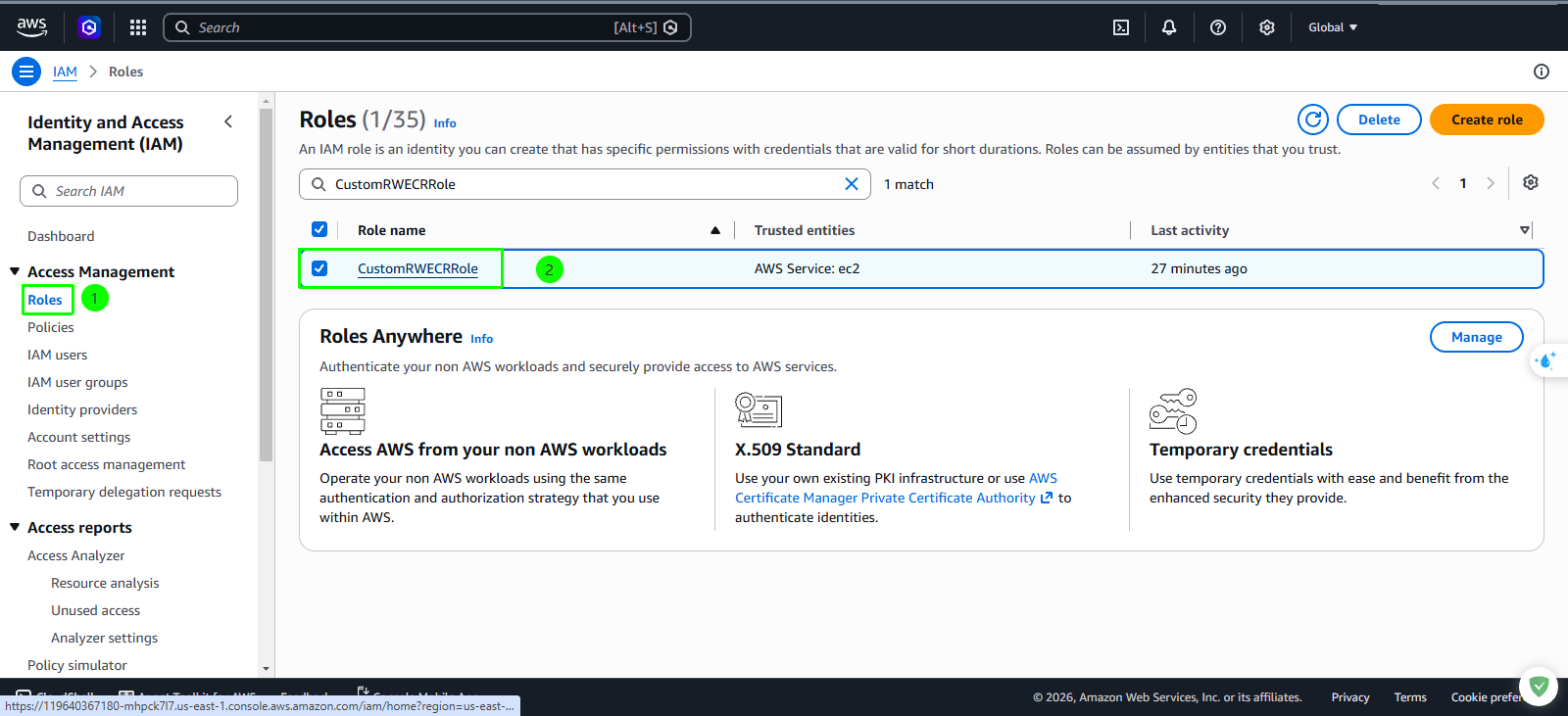
In the Permissions tab, click Add permissions → Attach policies.
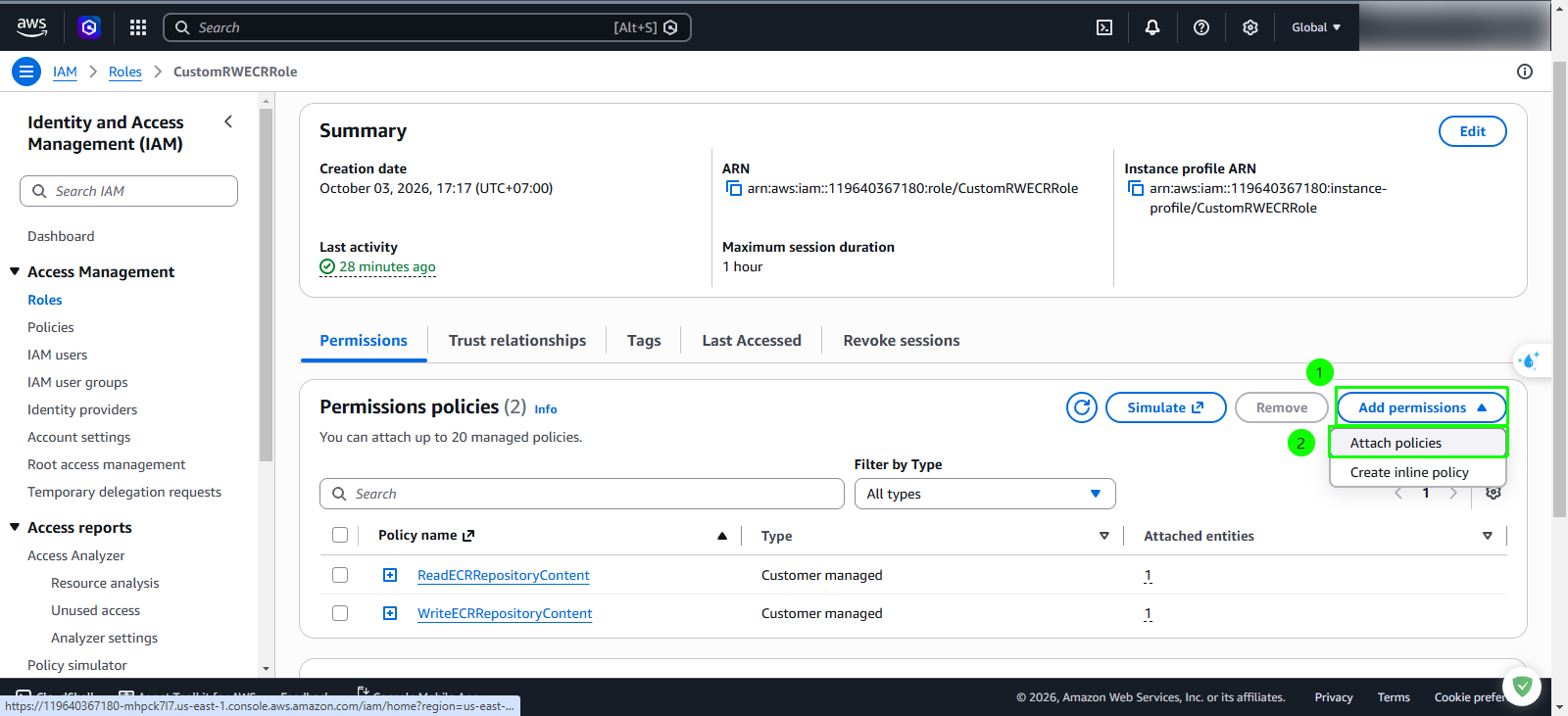
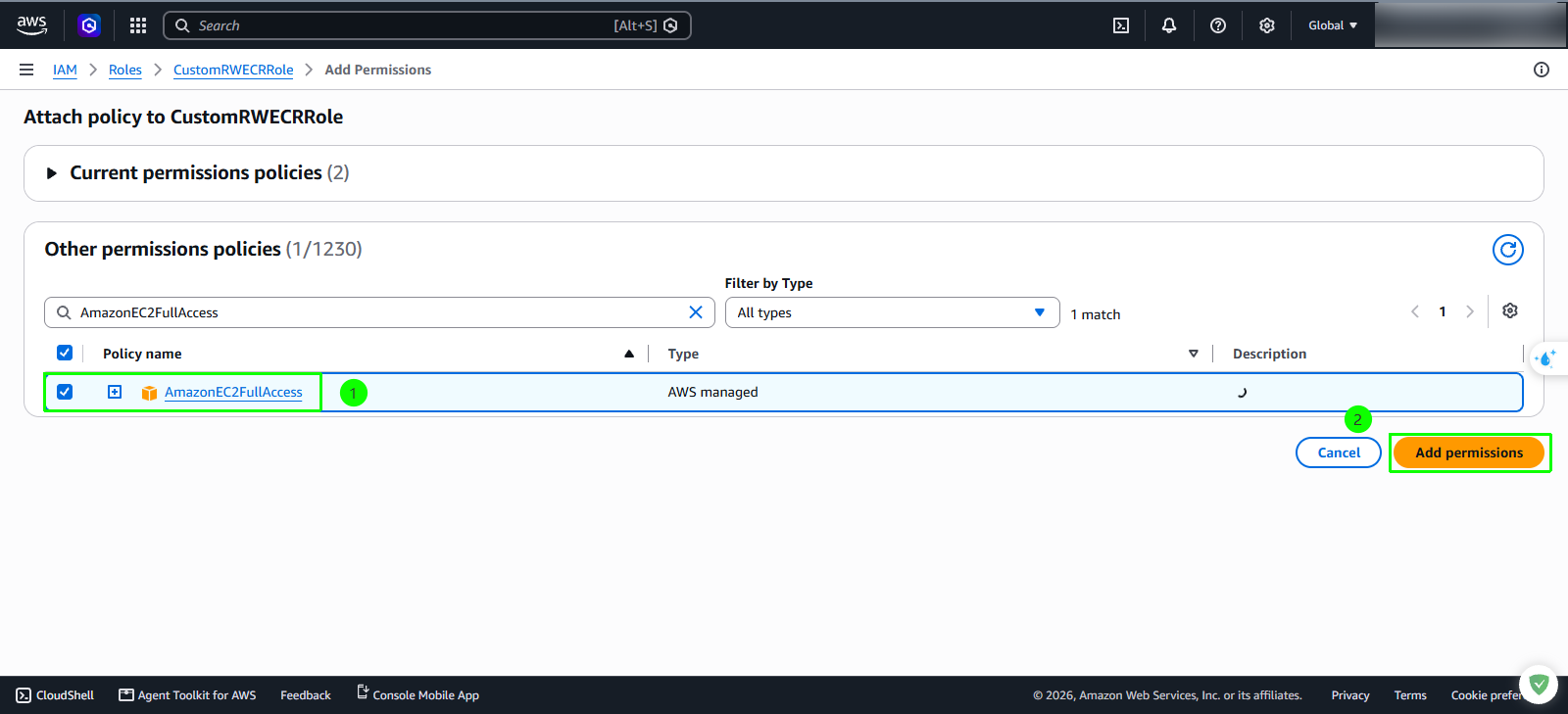
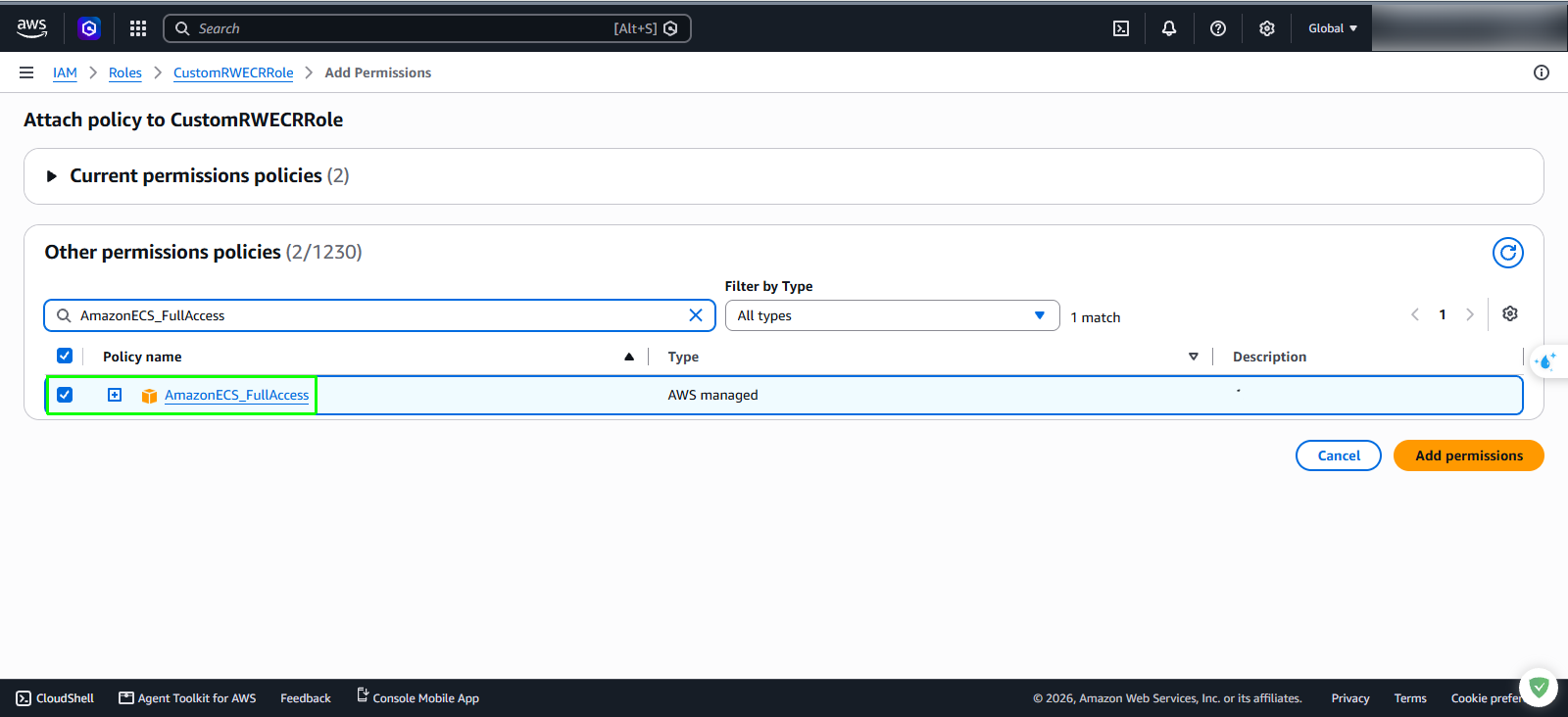
Search for and select the following AWS managed policies:
- Search
AmazonEC2FullAccess, check the box next to it. - Search
AmazonECS_FullAccess, check the box next to it. - Click Add permissions to attach both policies to the role.
- Search
Your EC2 instance now has the necessary permissions to build Docker images and deploy containerized services to ECS.