Install and Register GitLab Runner
In this section, you will install and configure GitLab Runner on an Amazon EC2 instance. GitLab Runner acts as the compute worker agent that picks up CI/CD pipeline jobs from your GitLab repository and executes build, container packaging, and deployment scripts directly against AWS services.
Architectural Overview
GitLab CI/CD separates the orchestrator (GitLab server) from the execution agents (GitLab Runners).
In this lab, we configure a Shell Executor hosted on an Amazon EC2 build instance:
- Dedicated Project Runners: Two distinct runner instances (fcaj-lab-runner-be for backend tasks and fcaj-lab-runner-fe for frontend tasks) allow pipeline jobs to be routed cleanly using Git tags.
- Shell Execution Mode: Executes build scripts natively on the host where Docker and the AWS CLI v2 have direct access to AWS IAM Instance Profile credentials.
Step 1: Connect to the EC2
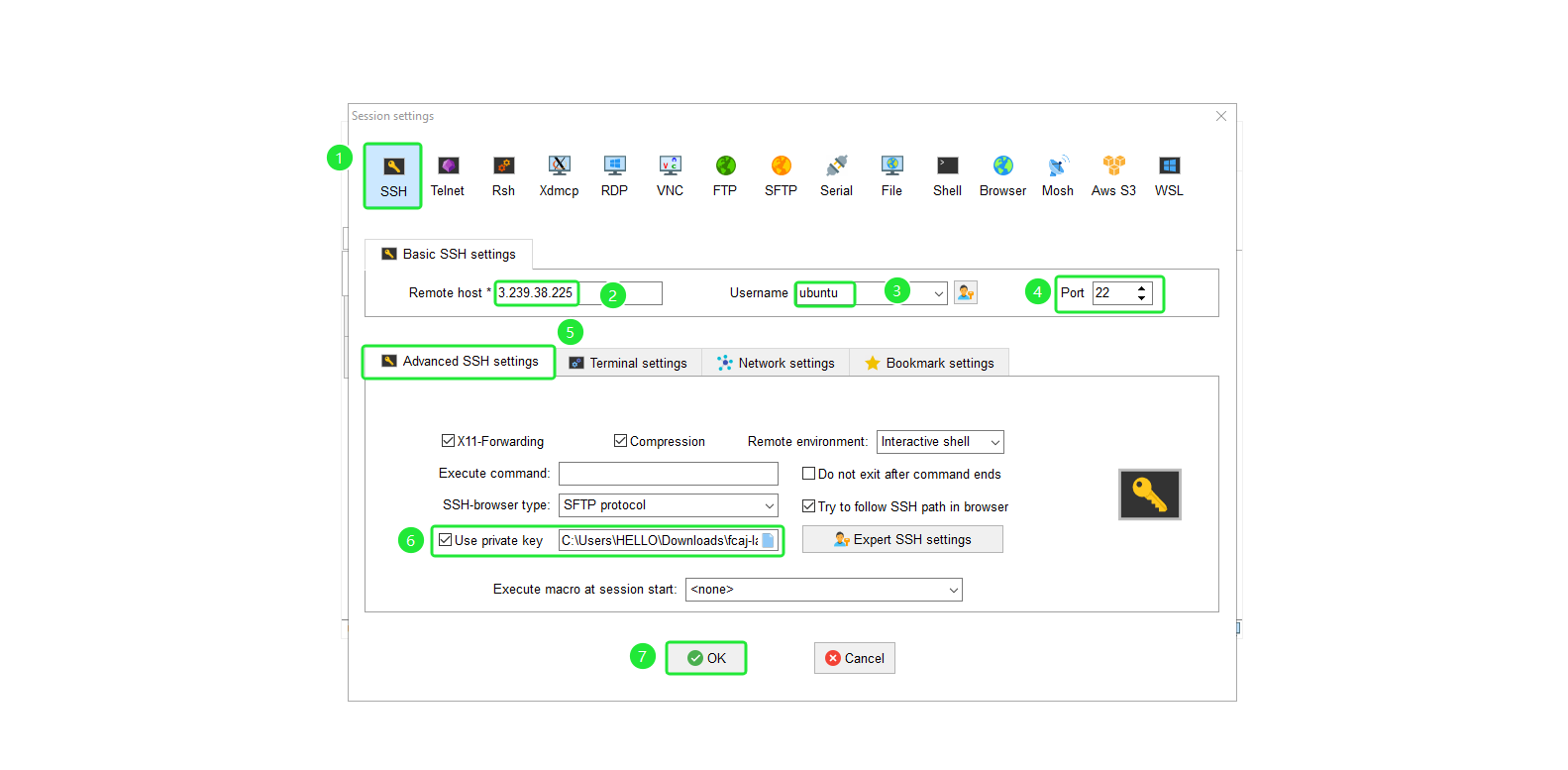
Step 2: Install GitLab Runner
Create a dedicated tools directory on the EC2 instance:
sudo nano /tools/setup.sh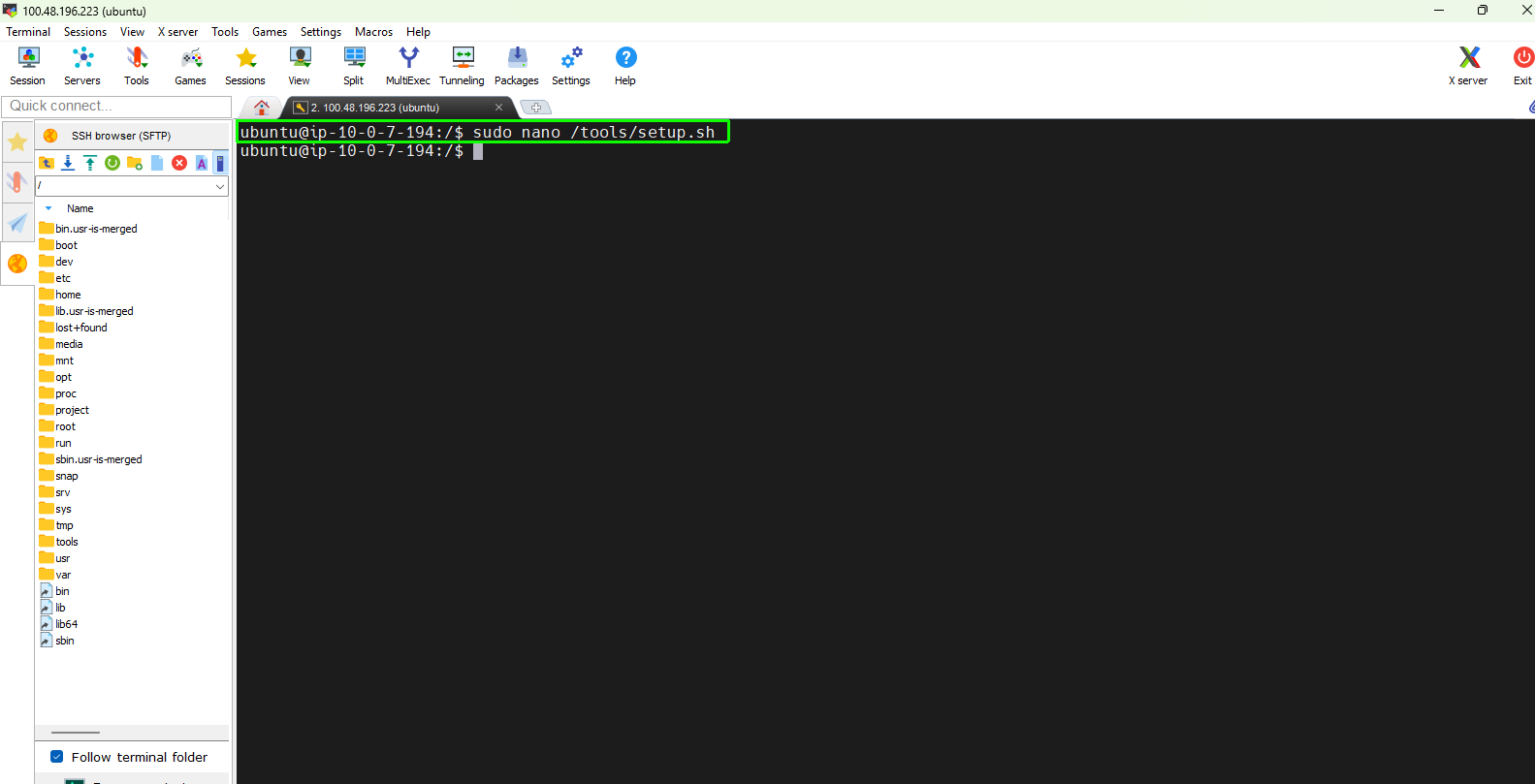
Add the following installation script to /tools/setup.sh:
#!/bin/bash
# Update package list
apt update -y

# Install GitLab Runner
curl -L "https://packages.gitlab.com/install/repositories/runner/gitlab-runner/script.deb.sh" | sudo bash
apt install gitlab-runner

# Check version
gitlab-runner --version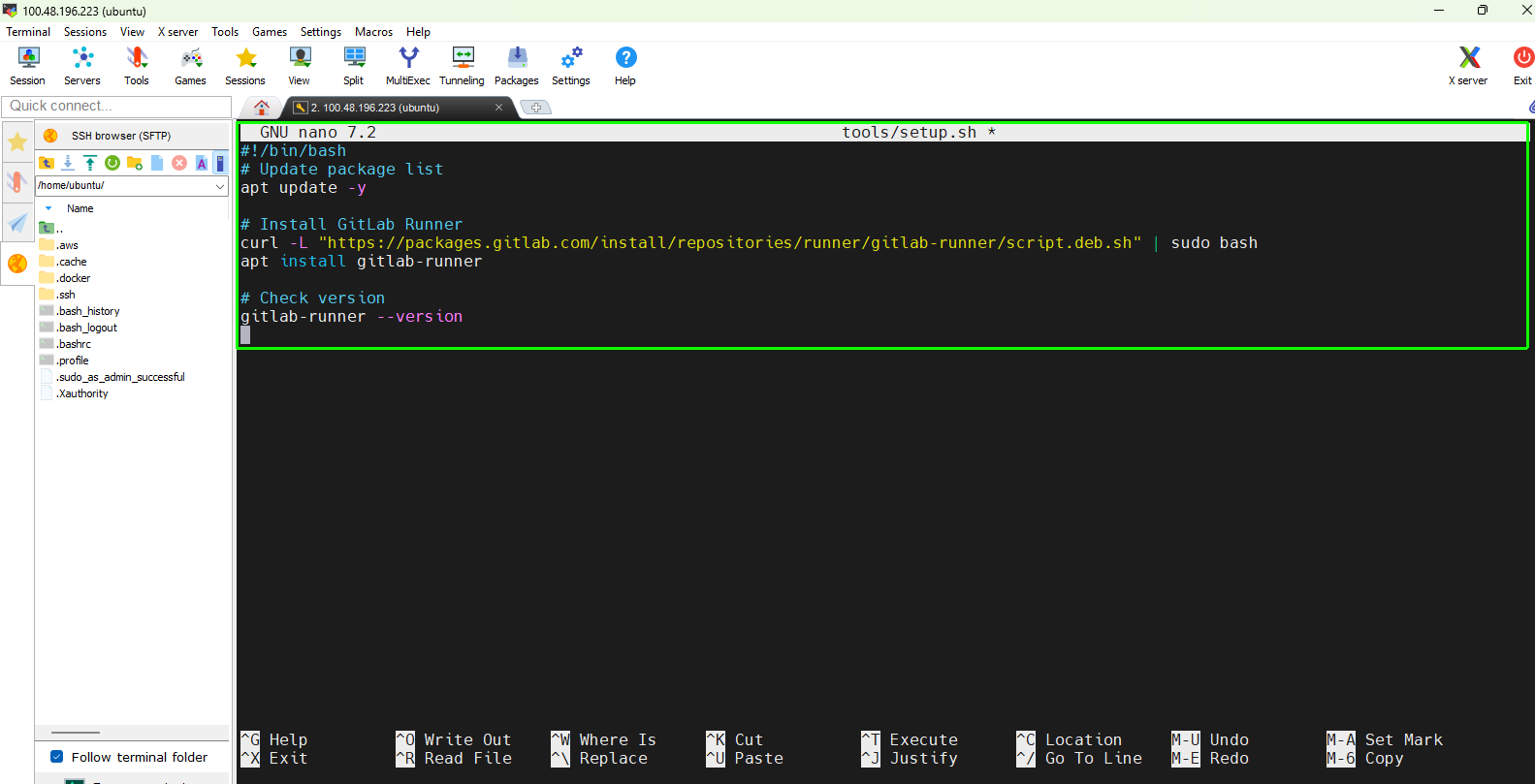
Make the script executable and run the installation:
sudo chmod +x /tools/setup.sh
sudo /tools/setup.sh
Verify that the GitLab Runner binary is installed and operational:
gitlab-runner --version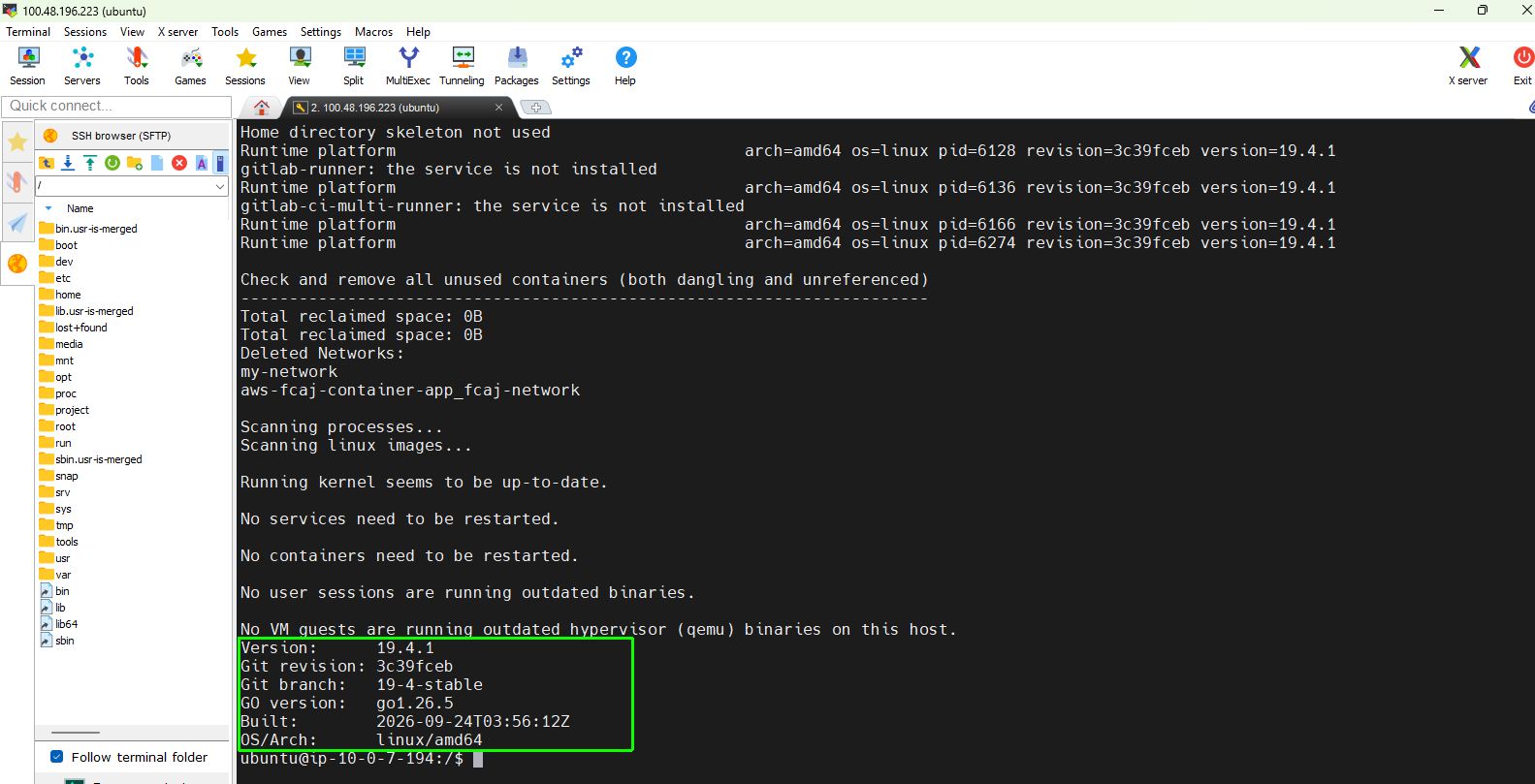
Verify that the background system service is active. Expected Status: active (running).
sudo systemctl status gitlab-runner --no-pager
Step 3: Create and Register Backend Runner (fcaj-lab-runner-be)
3.1 Create the Runner in GitLab UI
In your forked GitLab repository, navigate to the left sidebar:
- Go to Settings → CI/CD.
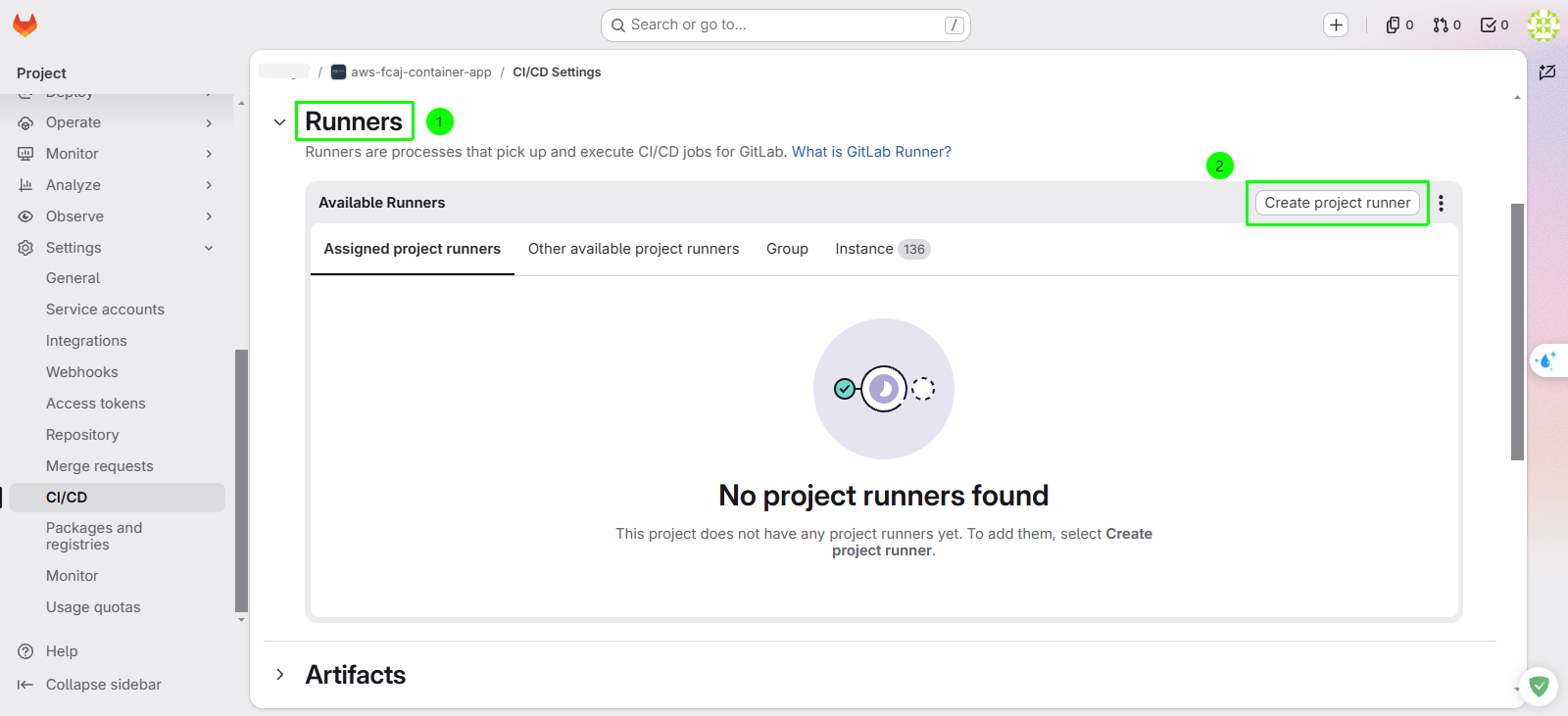
- Scroll down to the Runners section and click Expand.
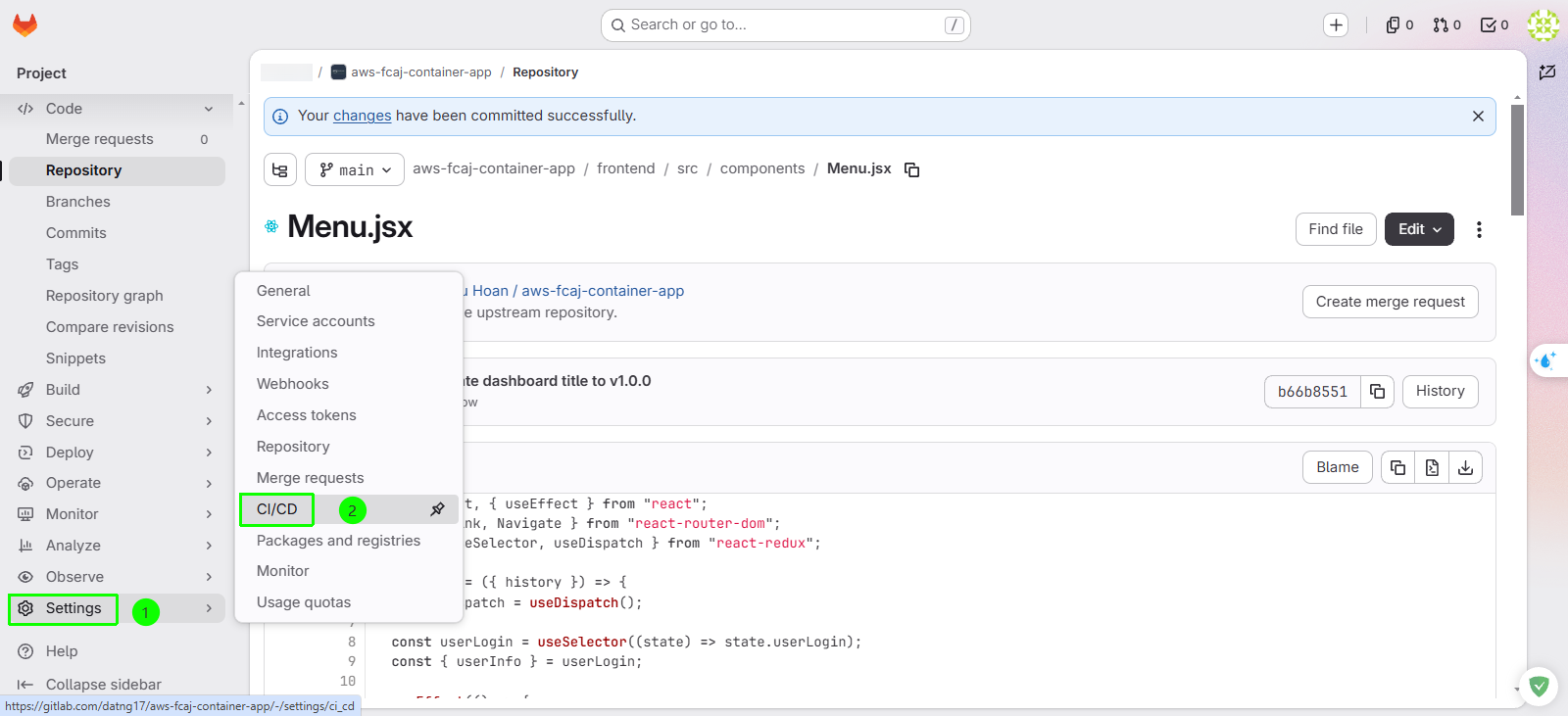
Under Project runners, click Create project runner.
Configure the runner parameters:
- Tags: Enter
fcaj-lab-runner-beand press Enter. - Run untagged jobs: Check this box (ensures the runner can process jobs that do not explicitly specify a tag).
- Click Create runner.
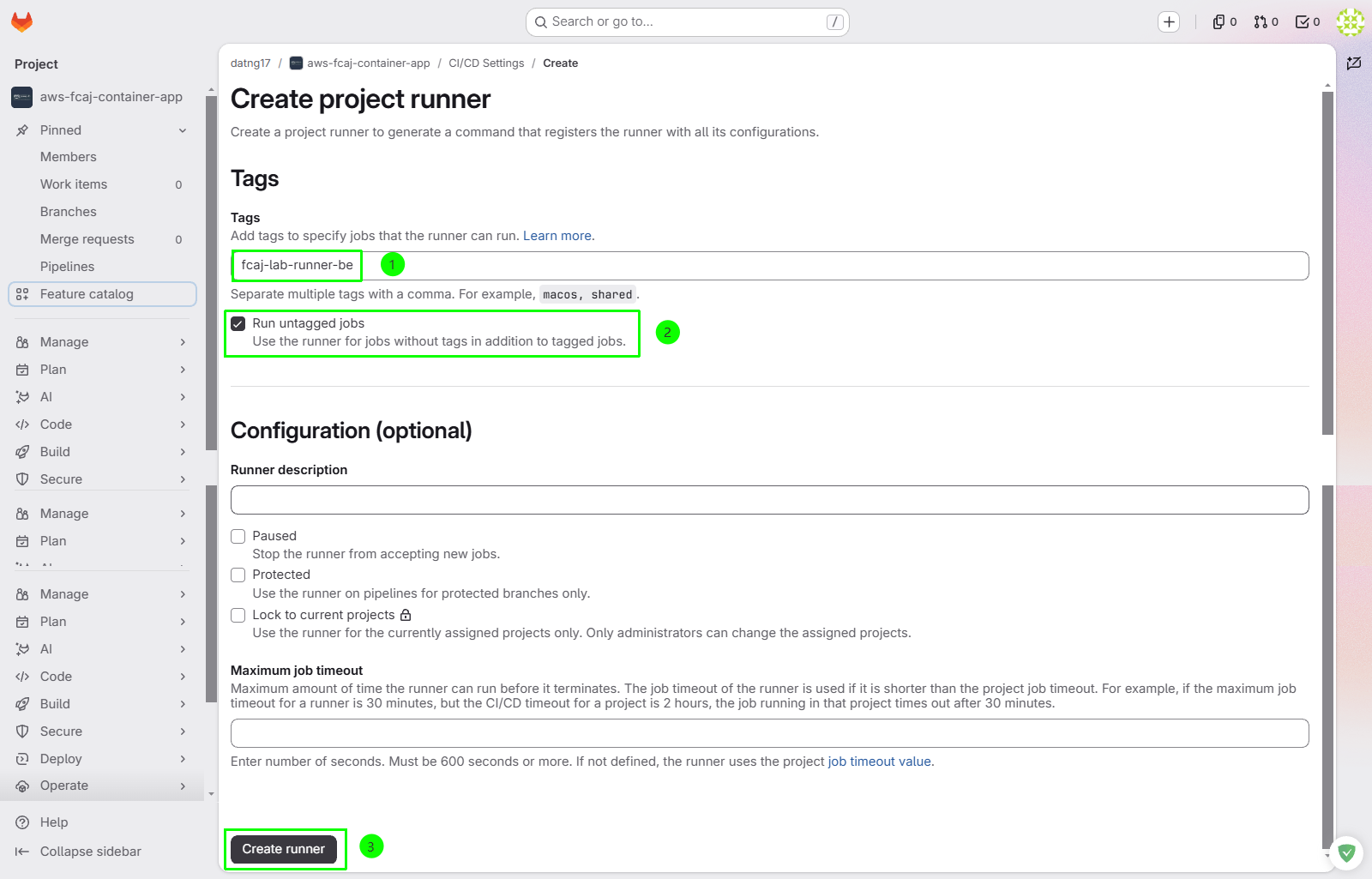
- Tags: Enter
Tags are used in .gitlab-ci.yml files (via the tags keyword) to route specific build jobs to designated runners. For example, fcaj-lab-runner-be ensures backend tasks run exclusively on this runner.
3.2 Register the Runner on the EC2 Host
After creating the runner in the UI, GitLab displays the registration command containing your unique authentication token
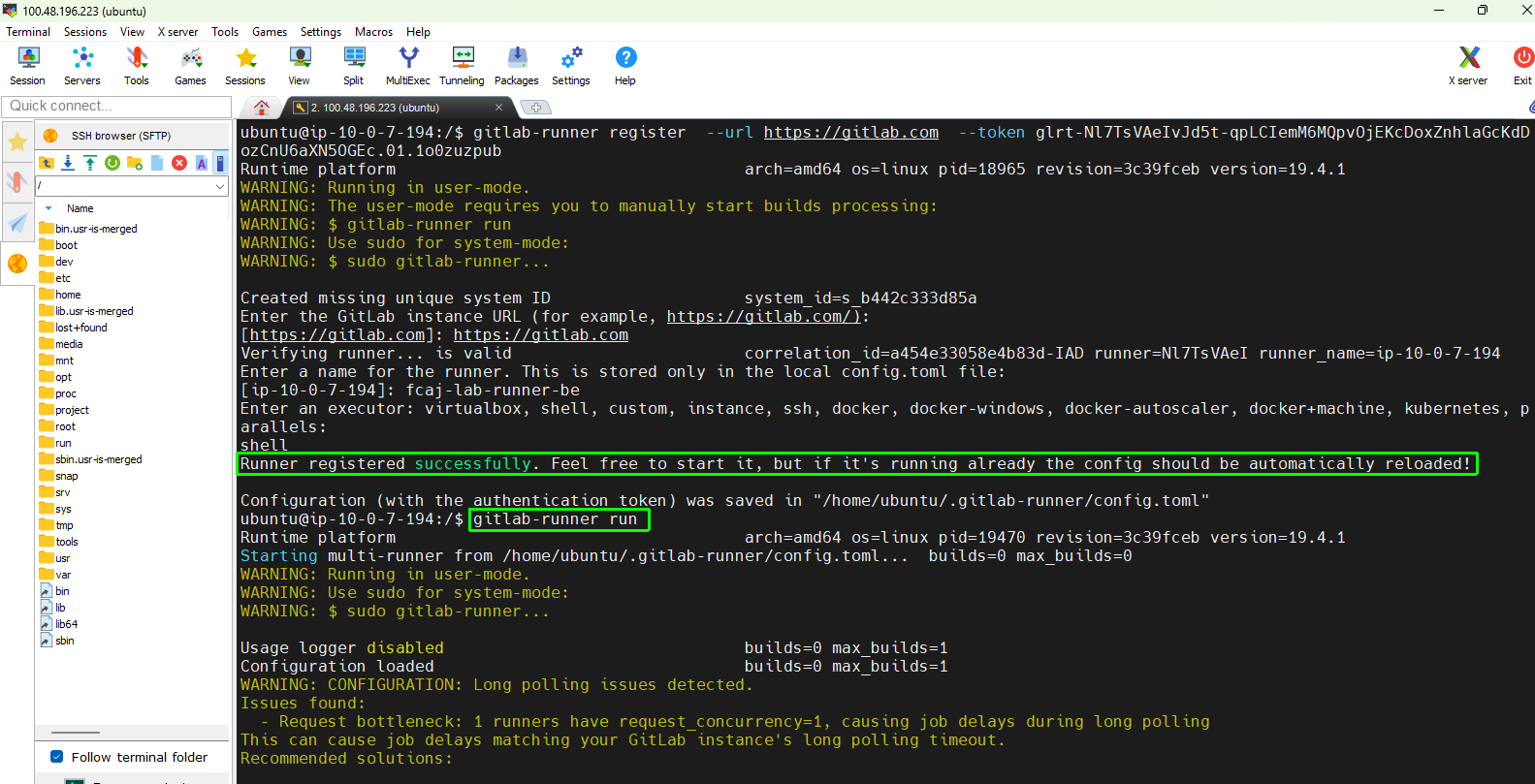
Run the registration command on your EC2 instance:
Provide the configuration values when prompted:
- GitLab instance URL: Press Enter to accept
https://gitlab.com(or typehttps://gitlab.com). - Registration token: Paste the runner token generated from the GitLab console
- Name for the runner:
fcaj-lab-runner-be - Enter an executor:
shell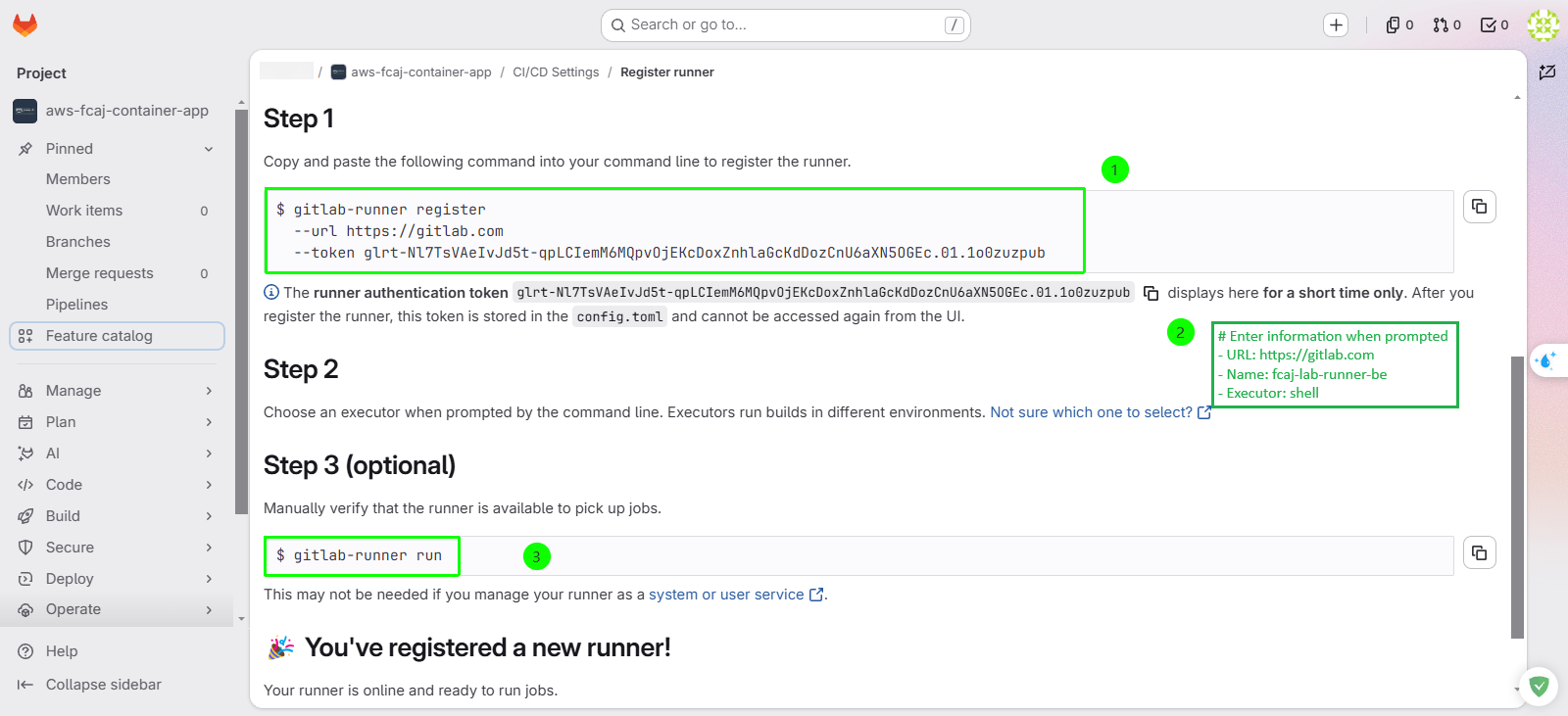
- GitLab instance URL: Press Enter to accept
Run the runner under the GitLab Runner service or verify the runner daemon in the background:
# Switch to root and start runner in background
sudo -i
su - gitlab-runner
nohup gitlab-runner run > start-runner-be.txt 2>&1 &

# Check live runner log
tail -n 20 start-runner-be.txt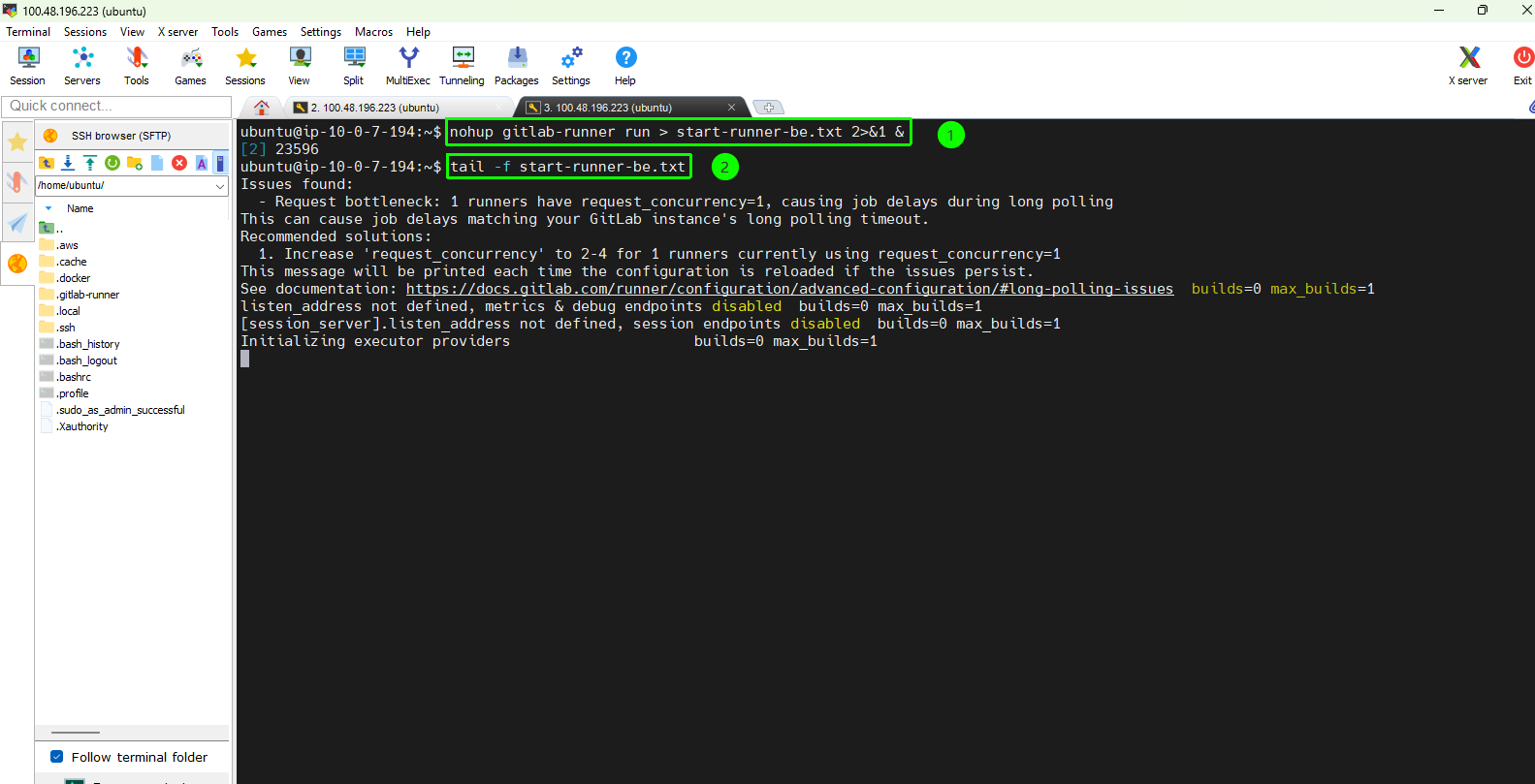
Step 4: Create and Register Frontend Runner (fcaj-lab-runner-fe)
To enable parallel execution and clean separation of concerns, create a second runner dedicated to frontend assets:
Return to GitLab: Settings → CI/CD → Runners → Click Create project runner.
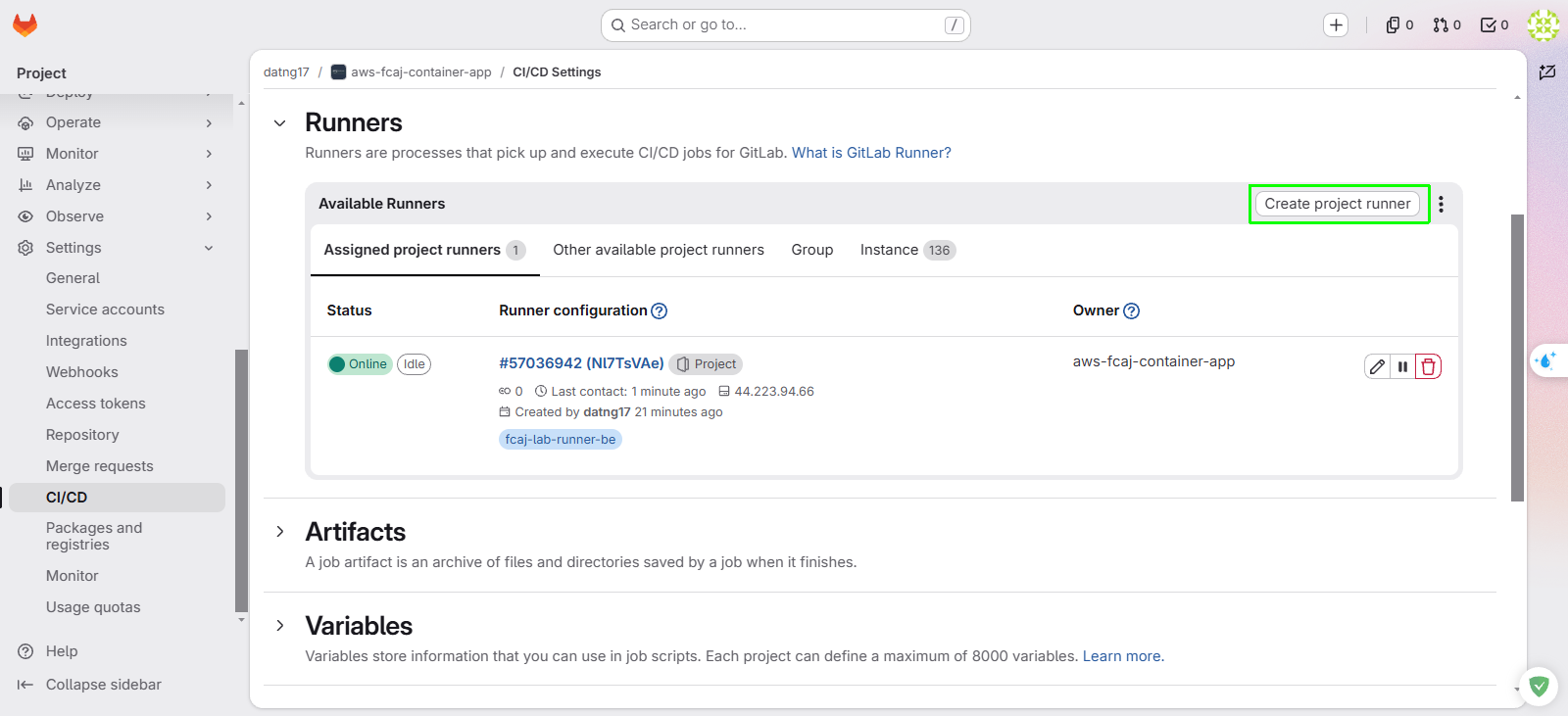
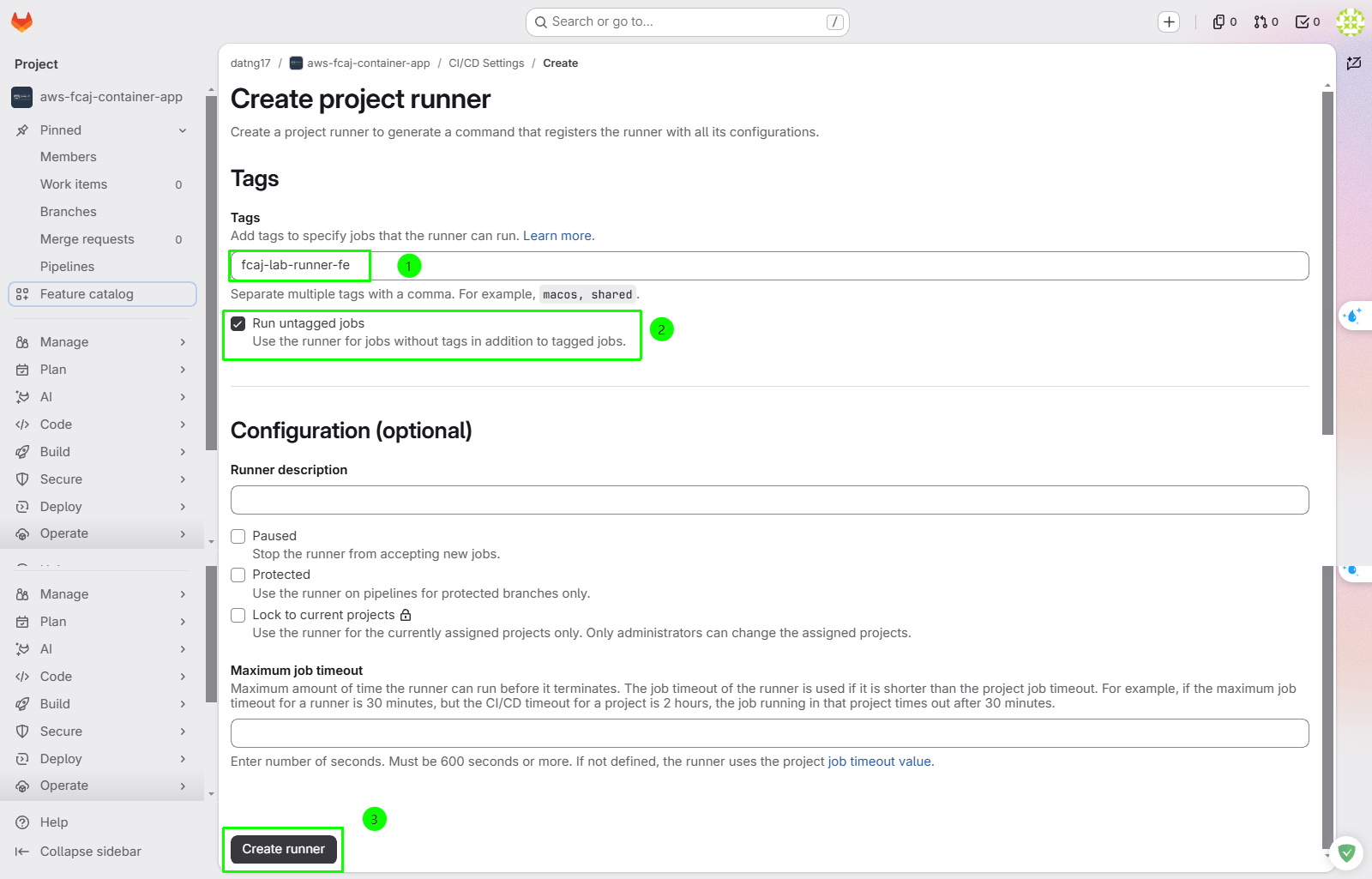
Configure the frontend runner:
- Tags: Enter
fcaj-lab-runner-feand press Enter. - Run untagged jobs: Check this box.
- Click Create runner.
- Tags: Enter
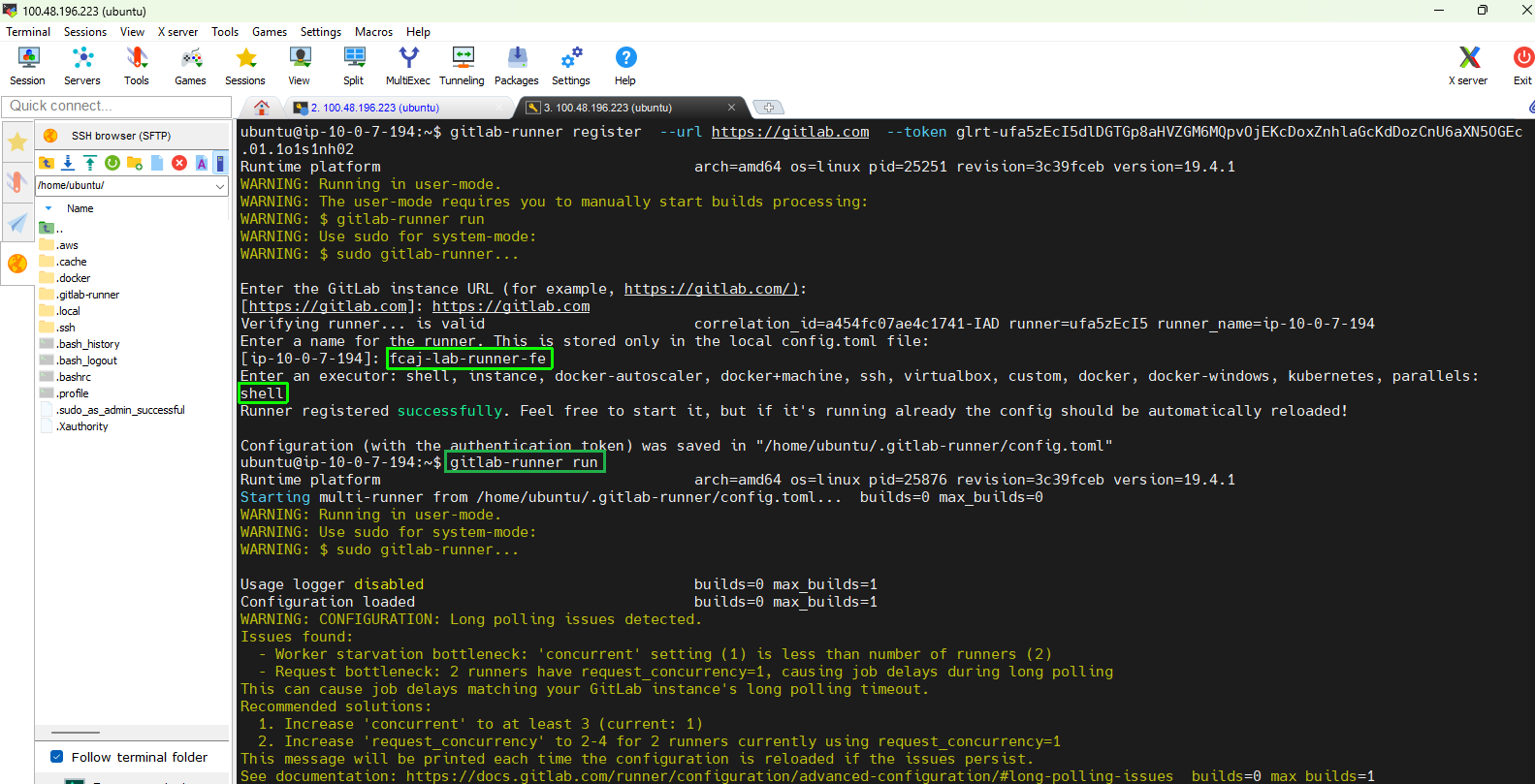
Copy the new token and register on the EC2 terminal: When prompted:
- GitLab instance URL:
https://gitlab.com - Token: Paste the runner token generated from the GitLab console
- Name for the runner:
fcaj-lab-runner-fe - Enter an executor:
shell
- GitLab instance URL:
Verify Active Runners
- Verify via GitLab Web Console:
- Go to Settings → CI/CD → Runners.
- Under Assigned project runners, verify that both runners appear with a green online status indicator.
| Runner Name | Executor | Expected Status | |
|---|---|---|---|
| fcaj-lab-runner-be | shell | Online (Green indicator) | |
| fcaj-lab-runner-fe | shell | Online (Green indicator) |
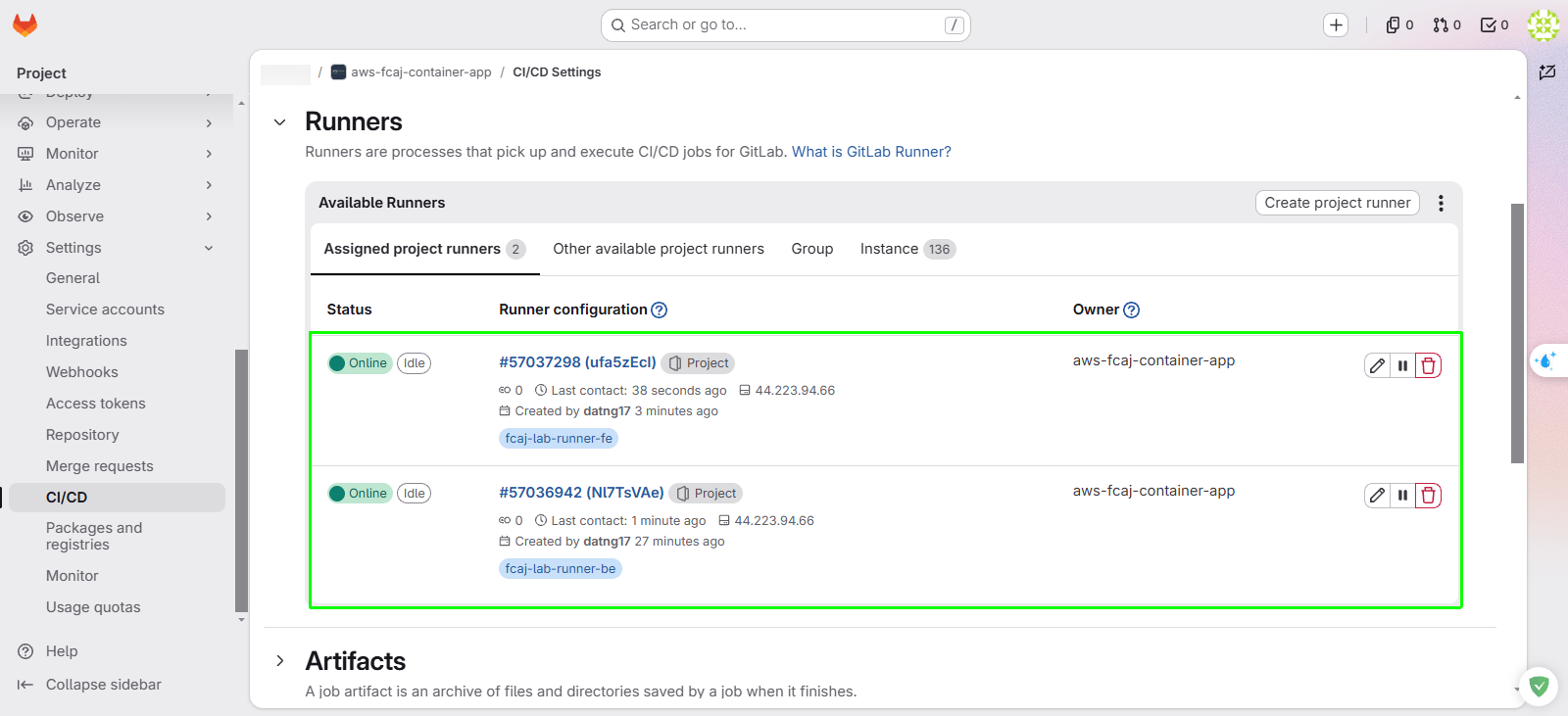
If a runner shows an offline status (gray/black dot), restart the runner service with sudo systemctl restart gitlab-runner and refresh the page.