Fork and Modify Repository
In this section, you will fork the upstream sample application repository into your personal GitLab account and make a targeted source code modification. This establishes the foundation for our automated CI/CD pipeline targeting Amazon ECS and Amazon ECR.
Architectural Context
Our target application is a decoupled microservices-ready web application containing two primary components:
- Frontend: A React single-page application (SPA) located in the frontend codebase, displaying a containerized management dashboard.
- Backend: A Node.js/Express REST API located in the backend codebase, handling service data and health checks.
Forking creates an isolated, independent copy of the upstream repository under your personal GitLab namespace. This grants you the Maintainer/Owner permissions required to:
- Configure custom CI/CD variables (AWS credentials, cluster names, service definitions).
- Register dedicated self-hosted GitLab Runners.
- Trigger automated build and deployment pipelines on Git tags without impacting other students.
Step 1: Fork the Upstream Repository
Open your browser and navigate to the upstream repository:
- Repository URL: aws-fcaj-container-app
In the upper-right corner of the project overview page, click the Fork button.
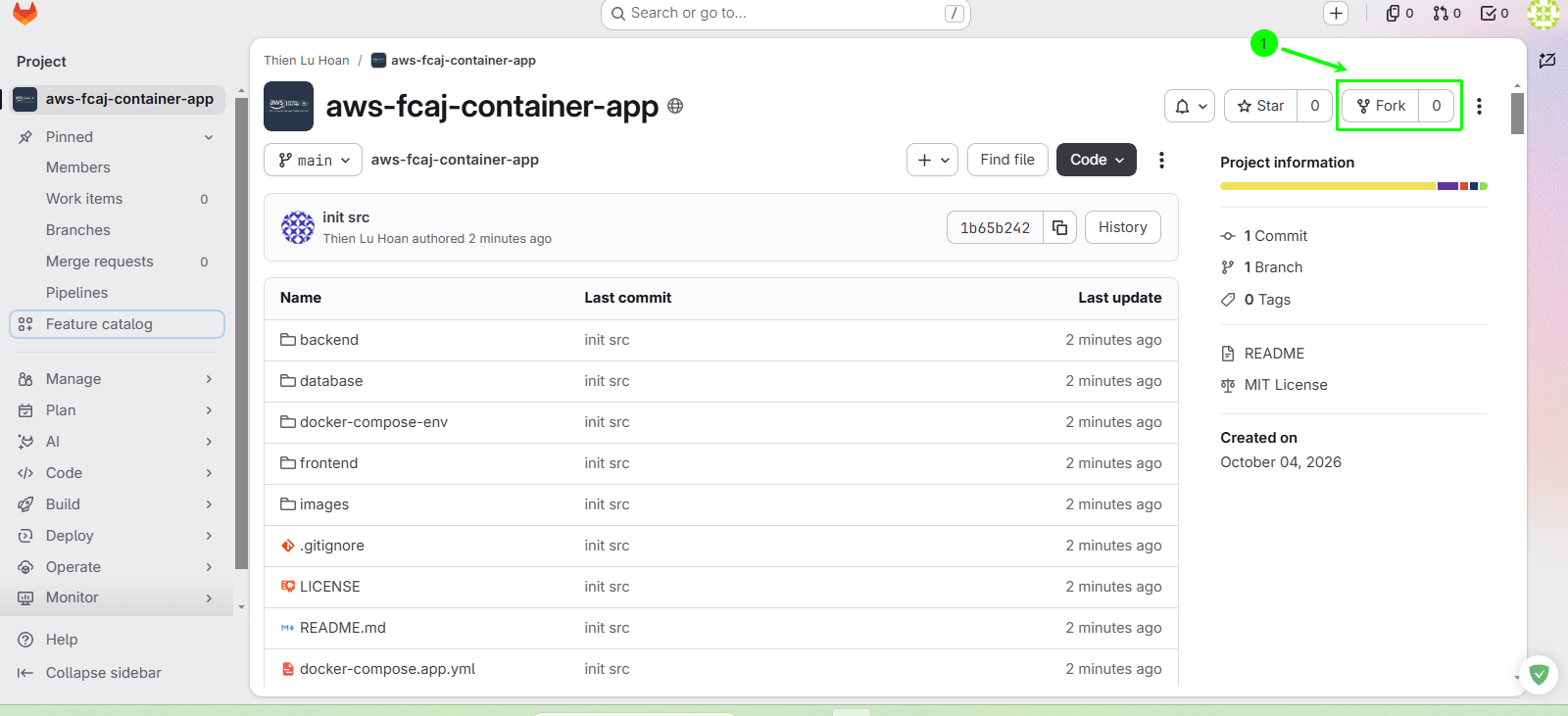
On the Fork project configuration page, set the project parameters as described below:
Configuration Field Recommended Value Description Project name aws-fcaj-container-appKeep the default name for consistency across lab instructions Project URL (Namespace) Personal Namespace (Dropdown) Required: Select your personal GitLab username namespace Project slug aws-fcaj-container-appAutomatically generated slug for the repository URL Branches to include All branches Copies all development and release branches Visibility level Public (or Private) Public simplifies peer review; Private works if using self-hosted runners 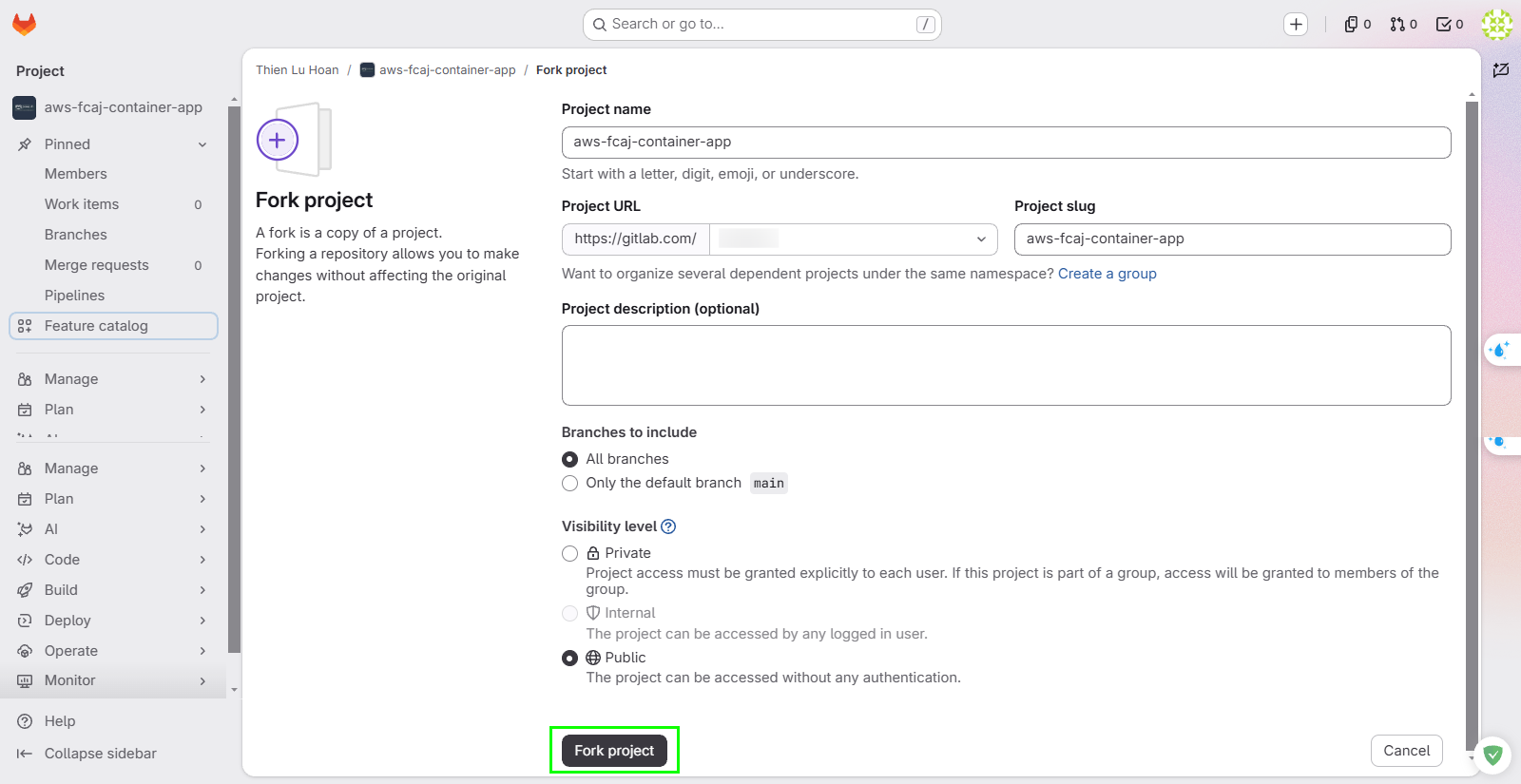
Click Fork project to begin the process. GitLab will take a few seconds to clone the git objects into your account.
Selecting All branches ensures that you retain the full git commit history, release tags, and reference branches. This is best practice for auditing code lineages and testing branch-based deployment triggers.
Verify Successful Fork
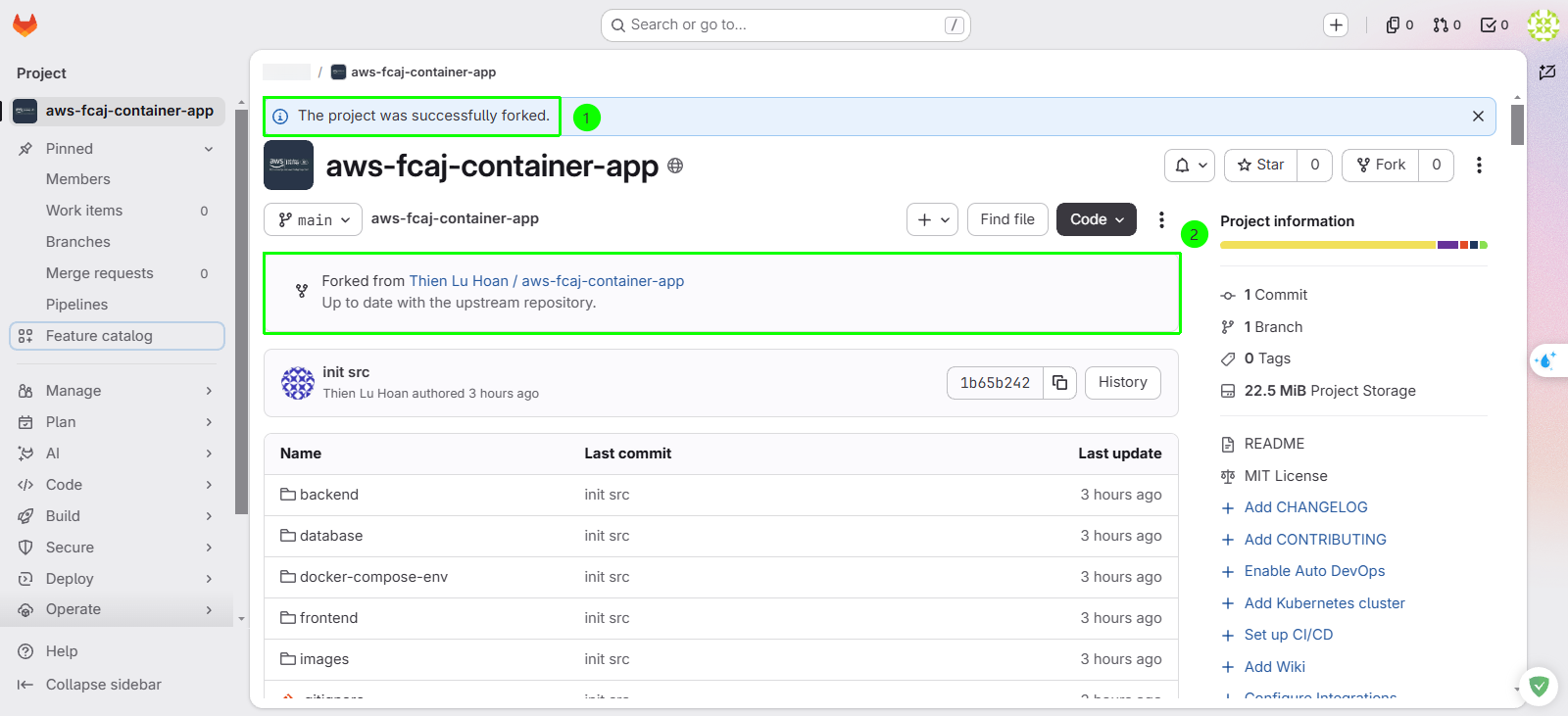
Before making any changes, verify that your fork is ready:
- Notice the subtitle below the repository title: Forked from thienluhoan / aws-fcaj-container-app.
- Verify that the project tree contains the frontend, backend, and .gitlab-ci.yml files and directories.
Step 2: Modify Frontend Source Code
To validate that our automated CI/CD pipeline successfully builds, pushes, and deploys a new container image to Amazon ECS with zero downtime, we will introduce a noticeable visual update to the frontend header.
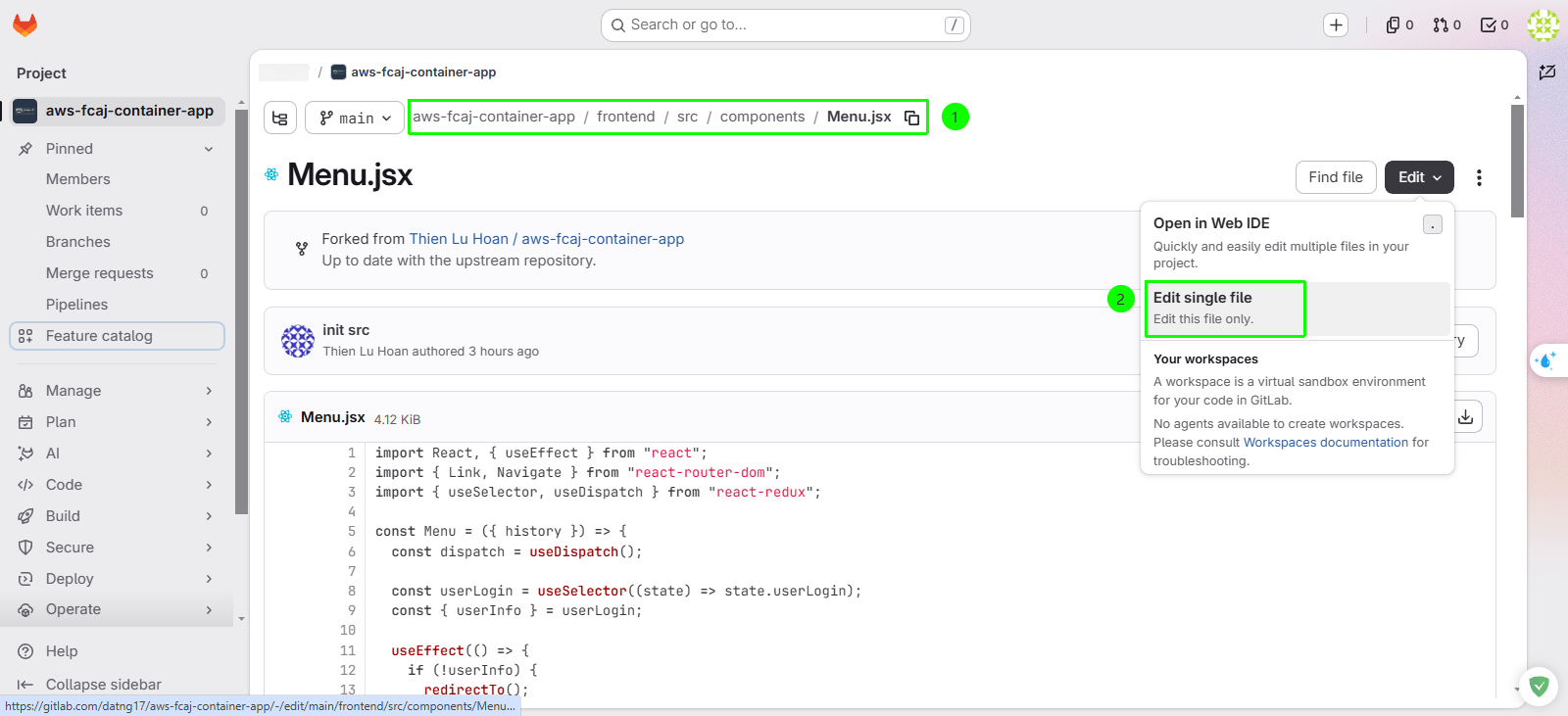
In the repository file explorer, navigate to the file:
- Path:
frontend/src/components/Menu.jsx
- Path:
Click Edit, then select Edit single file (or use the GitLab Web IDE).
Locate the dashboard title heading inside the component (around line 14):
- Replace the existing text
DashboardwithDashboard v1.0.0:
// Before:
<p>Dashboard</p>

// After:
<p>Dashboard v1.0.0</p>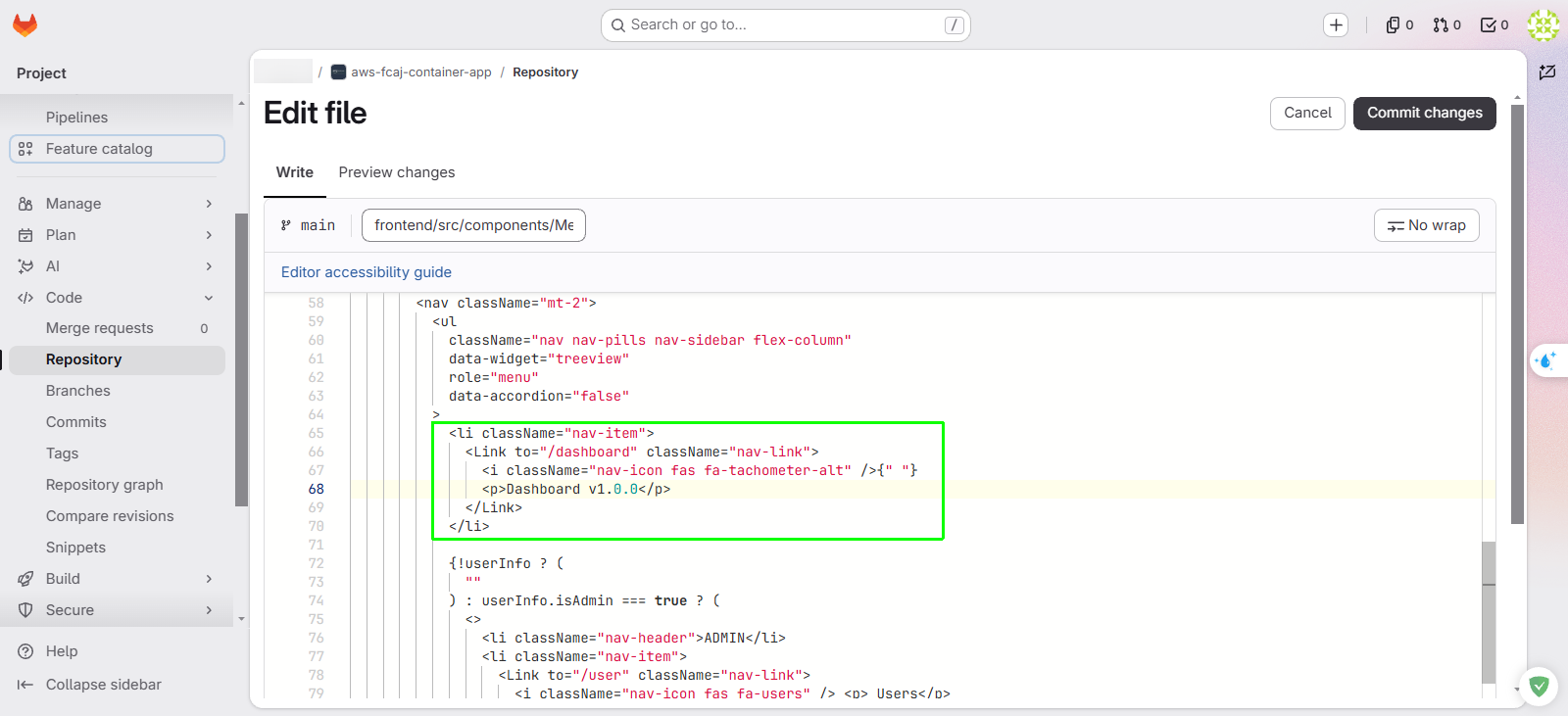
- Replace the existing text
Scroll down to the Commit message section and configure the commit details:
- Commit message:
feat(frontend): update dashboard title to v1.0.0 - Target branch:
main - Click Commit changes.
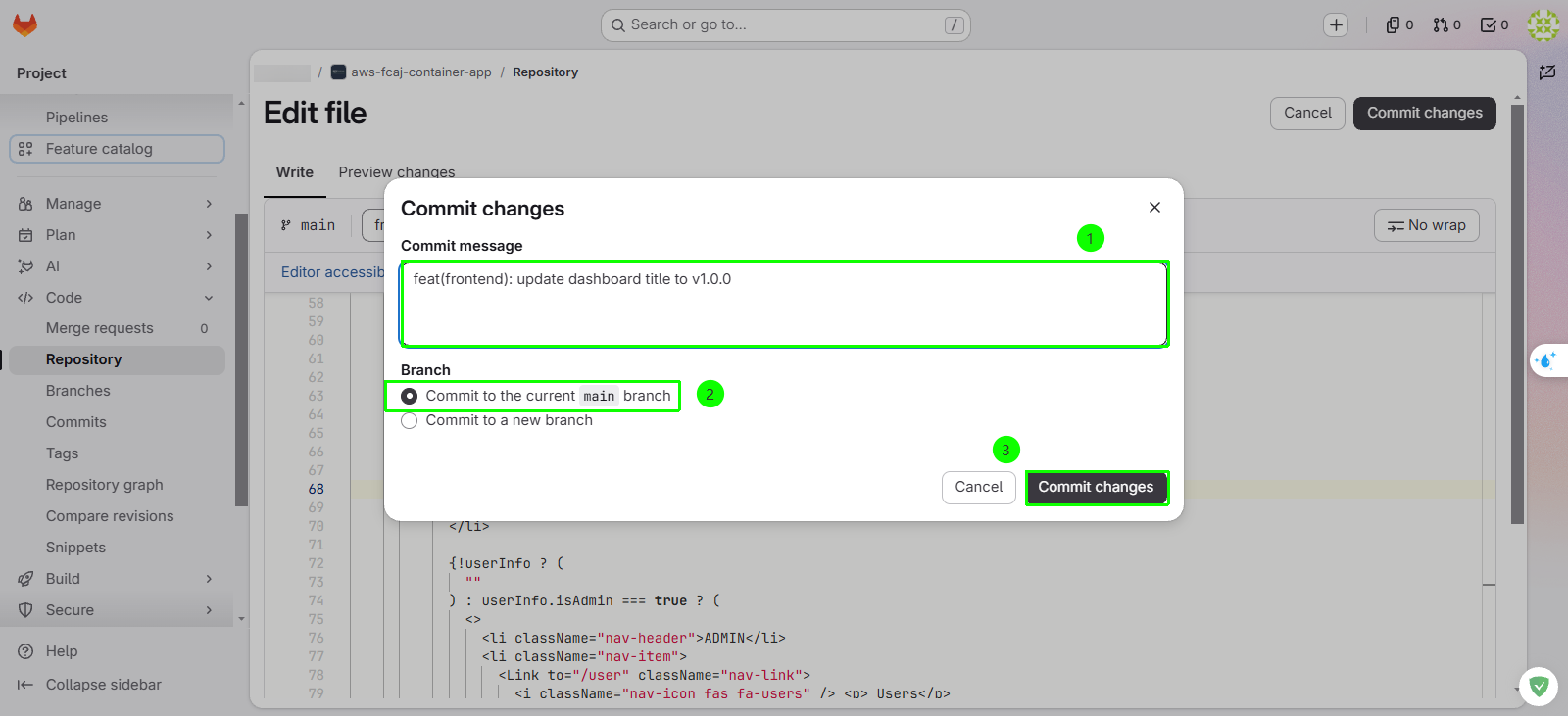
- Commit message:
Verify Git Commit
Confirm that your changes are committed to the main branch:
| Verification Item | Expected Value | Validation Steps |
|---|---|---|
| Branch | main | Confirm the branch dropdown displays main |
| Latest Commit | feat(frontend): update dashboard title to v1.0.0 | Navigate to Code → Commits to inspect the top commit |
| File Content | Dashboard v1.0.0 | Open frontend/src/components/Menu.jsx and confirm the updated string |
No pipeline has been triggered yet because our pipeline in .gitlab-ci.yml is configured to trigger on Git release tags (e.g., v1.0.0). In the next sections, we will provision a self-hosted runner and configure IAM permissions before triggering our deployment.